Fluxx Tech
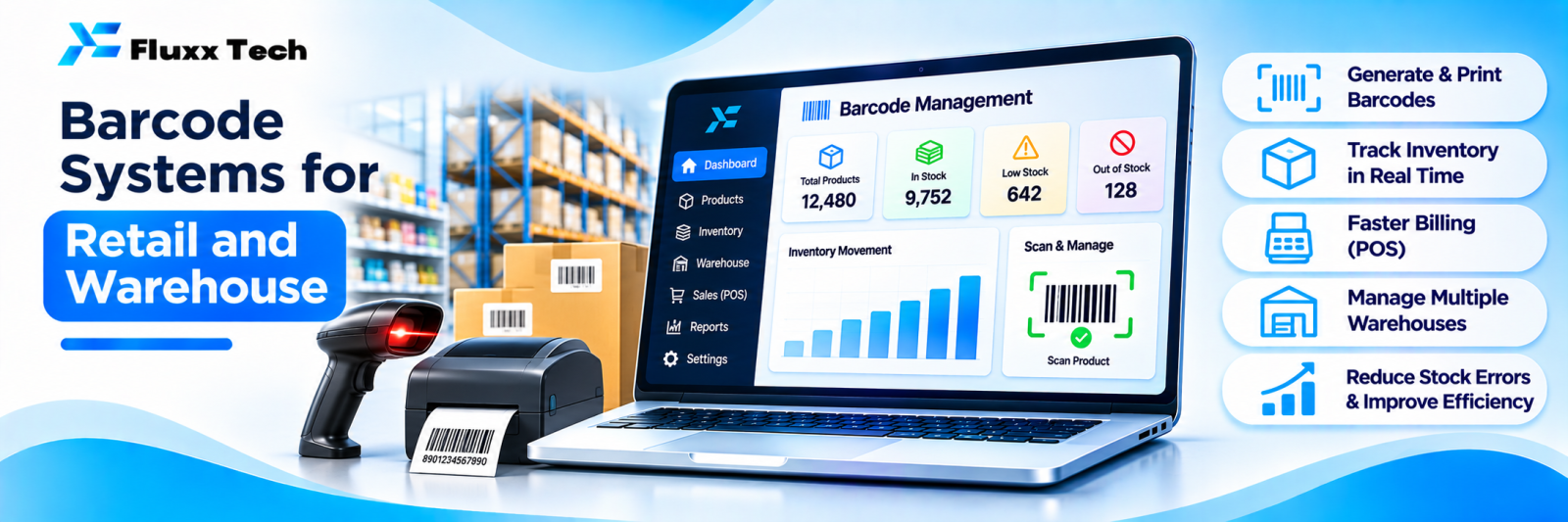
A barcode is a small thing that removes a large category of errors. No more typing item codes at billing, no more “is this the 32 or the 34?”, and a stock count that takes an afternoon instead of three days.
This covers retail shops, pharmacies, warehouses, distributors and manufacturers.
What barcodes solve
Problem | With barcodes |
Slow billing | Scan and go |
Wrong item billed | The code is the item |
Wrong price charged | Price comes from the master |
Stock count taking days | Scan shelves, count in hours |
No batch or expiry control | Scan captures batch and expiry |
Disputes over what was dispatched | Scanned packing list |
Untraceable returns | Scan to identify the exact item |
Barcode types
Type | Use |
EAN-13 | Standard retail products; usually already on branded goods |
Code 128 | Internal codes, longer data, widely used in warehouses |
Code 39 | Simple internal use, less dense |
QR code | Holds more data; can include batch, URL, serial |
DataMatrix | Small items where space is limited |
For most Indian retail: use the manufacturer’s existing EAN where it exists, and generate your own Code 128 labels for loose, custom or in-house items.
Do not reuse a code for a different product, ever. It corrupts your history permanently.
What to decide before buying hardware
1. What gets a barcode? Every item, or only items above a value? Each piece, or each box?
2. Item or batch level? Pharmacies, food and chemicals need batch and expiry. Apparel needs size and colour as distinct codes.
3. Serial numbers? Electronics, machinery and warranty-bearing goods often need per-unit serials, not just item codes.
4. Who labels, and where? At receiving, at packing, or by the supplier?
5. What happens to unlabelled stock? Existing inventory must be labelled during the transition.
Getting these wrong means relabelling everything later.
Hardware
Item | Notes |
Barcode printer | Thermal transfer for durable labels, direct thermal for short-life labels |
Labels | Size, adhesive and material matter: cold storage, oily environments and textiles each need different stock |
Handheld scanner | Wired for counters, wireless for shelves |
Mobile computer | Scanner plus screen for warehouse work |
Phone camera | Workable for low volume; slower than a real scanner |
A cheap scanner that misreads one scan in fifty creates more work than it saves. Test before buying in bulk.
Where barcodes get used
Receiving. Scan incoming goods against the purchase order; discrepancies flagged immediately.
Putaway and location. Label shelves and bins as well as products, so the system knows where each item sits.
Picking. Pick lists ordered by location; scan to confirm the right item and quantity.
Packing and dispatch. Scan each item into the carton; the packing list is generated from what was actually scanned, not what was supposed to be.
Billing. Scan at the counter; price and tax from the master.
Stock take. Scan shelves; the system compares with book stock and produces a variance report.
Returns. Scan to identify the item, batch and original invoice.
Batch and expiry
For pharmacies, food, cosmetics and chemicals:
• Capture batch and expiry at receiving
• Enforce FEFO (first expiry, first out) during picking
• Alert on items nearing expiry, with enough lead time to act
• Block sale of expired stock at billing
• Trace a batch across every sale, for recalls
The near-expiry alert is where this pays for itself. Returning stock to the supplier before expiry is worth far more than the software costs.
Stock-taking that actually works
1. Freeze movement, or record movements separately during the count
2. Count by location, with two people where values are high
3. Scan everything; do not type counts
4. System produces a variance report: book stock versus counted
5. Investigate large variances before adjusting
6. Record the adjustment with a reason and an approval
7. Count fast-moving or high-value items more often than annually
Cycle counting, counting a section each week, is usually better than one painful annual count.
Implementation
Phase | Step |
1 | Clean the item master; fix duplicates and units |
2 | Decide labelling rules and buy sample hardware to test |
3 | Label new incoming stock |
4 | Enable scanning at billing |
5 | Label existing stock, section by section |
6 | Add receiving and dispatch scanning |
7 | Add cycle counting |
8 | Add batch, expiry or serial tracking where needed |
Item master cleaning is the long pole. Two entries for the same product means two stock figures, and no amount of scanning fixes that.
Costs
Hardware costs vary with volume and environment. Budget for printer, labels (an ongoing cost), scanners, software or integration, and staff training. Labels are a recurring cost people forget to estimate.
Fluxx Tech pricing: [add your price].
Frequently asked questions
Can we use a phone instead of a scanner? For low volume, yes. For a busy counter or warehouse, a real scanner is faster and more reliable.
Do we need to barcode everything? Start with fast-moving and high-value items. Extend as the habit builds.
What about items already carrying manufacturer barcodes? Use them. Map the EAN to your item master and skip relabelling.