Fluxx Tech
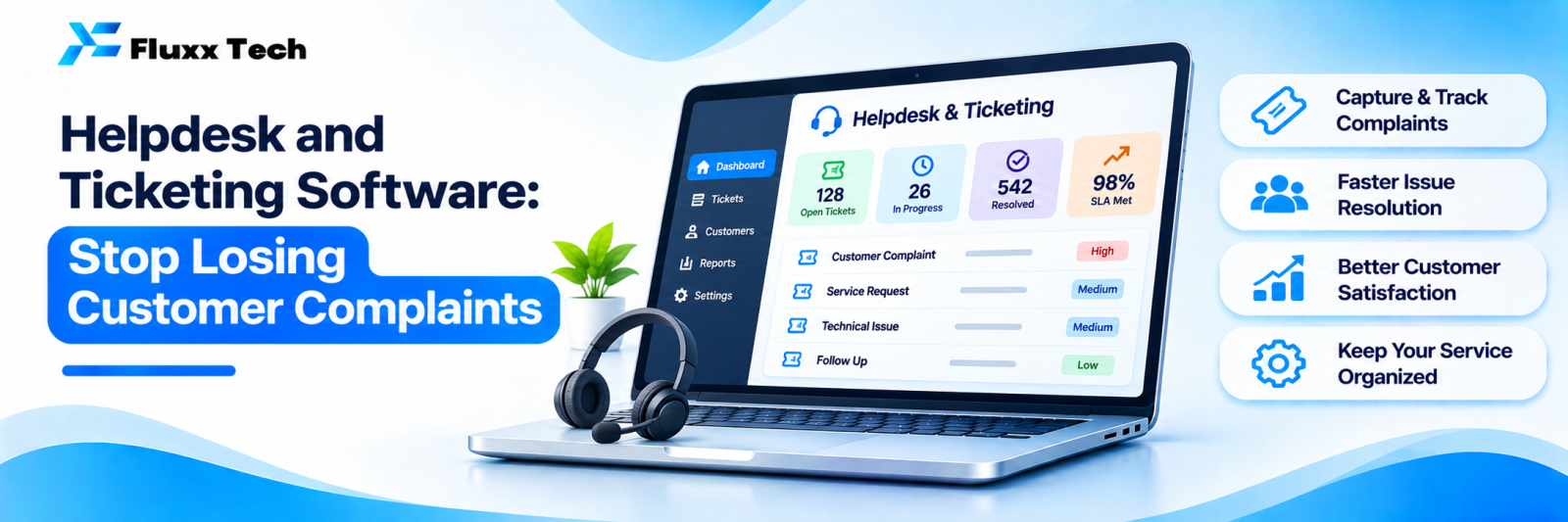
A complaint arrives by phone, another on WhatsApp, a third by email to a staff member who is on leave. Two get solved. One does not, and that customer tells people.
Helpdesk software makes every request a ticket with an owner, a status and a deadline. Nothing depends on someone remembering.
When you need one
• More than a handful of support requests a day
• Requests arriving on more than two channels
• More than two people handling them
• Customers chasing you for updates
• No way to answer “how many complaints did we get last month, and about what?”
If any two of those are true, you have outgrown WhatsApp and a notebook.
What a ticket carries
• A unique number the customer can quote
• Customer details and history
• Channel it arrived on
• Category: complaint, request, query, warranty
• Priority
• Owner
• Status: new, in progress, waiting on customer, resolved, closed
• Due time, from the SLA
• Full conversation thread
• Internal notes, not visible to the customer
• Attachments: photos, invoices, videos
Channels to connect
Channel | Notes |
Phone | Logged manually, or through a call system |
Auto-creates a ticket from a support address | |
Where most Indian customers will actually write | |
Website form or chat | Structured intake |
Instagram DM | For consumer brands |
Walk-in | Logged by staff |
The goal is one queue, whatever the channel. Two queues means one gets ignored.
Priority and SLA
Define priority by impact, not by who shouts loudest:
Priority | Definition | Example response / resolution target |
Critical | Business stopped, safety issue | 30 min / 4 hours |
High | Major function unusable | 2 hours / 1 day |
Medium | Partial problem, workaround exists | 4 hours / 3 days |
Low | Query or request | 1 day / 7 days |
Set targets you can actually meet. An SLA you miss routinely is worse than none, because the software will now prove you missed it.
Escalation
• Auto-escalate when a ticket approaches its deadline
• Escalate to a named person, not “the team”
• Notify the manager on breach
• Separate path for complaints involving refunds, safety or legal risk
• A daily list of breached and ageing tickets, reviewed by someone
Customer-facing or internal?
Customer helpdesk: complaints, warranty, service requests, product queries.
Internal helpdesk: IT issues, maintenance requests, HR queries, facility complaints. Same software, different categories and SLAs.
Many businesses start with customer support and later use the same system internally, which is usually cheaper than buying two tools.
Self-service reduces ticket volume
• A knowledge base of common answers
• FAQ pages linked from your auto-reply
• Status updates the customer can check without asking
• An automated acknowledgement with the ticket number and expected timeline
The acknowledgement alone reduces “any update?” messages substantially.
Metrics that matter
Metric | What it tells you |
Tickets per week, by category | Where your product or service fails |
First response time | Customer experience |
Resolution time | Team capacity and process |
SLA breach rate | Whether targets are realistic |
Reopened tickets | Quality of fixes |
Tickets per agent | Workload |
Top issue categories | What to fix permanently |
CSAT after resolution | Whether customers felt helped |
The most valuable one is top issue categories. Support data tells you what to fix in the product or process so the ticket never arrives again.
Build or buy
Ready helpdesk products are mature, cheap at small scale, and usually the right choice. A custom build makes sense when:
• Tickets must connect deeply to your own systems: job cards, warranty records, device history
• Per-agent pricing has become significant
• Your workflow is unusual: field visits, spare parts, multi-stage approvals
• You need it embedded inside software you already run
Rollout
Week | Step |
1 | Define categories, priorities and SLAs |
2 | Connect email and WhatsApp; set auto-acknowledgement |
3 | Train the team; agree ownership rules |
4 | Add escalation and reporting |
6 | Add knowledge base articles for the top five issues |
8 | Review metrics; adjust SLAs to reality |
Frequently asked questions
Can we just use WhatsApp? Up to a point. Once several people handle requests, or you need SLAs and reporting, WhatsApp alone starts losing tickets.
Should customers see ticket status? It reduces follow-up messages, so yes where practical.
How many categories should we have? Eight to twelve. Too many and nobody categorises correctly, which destroys your reporting.