Fluxx Tech
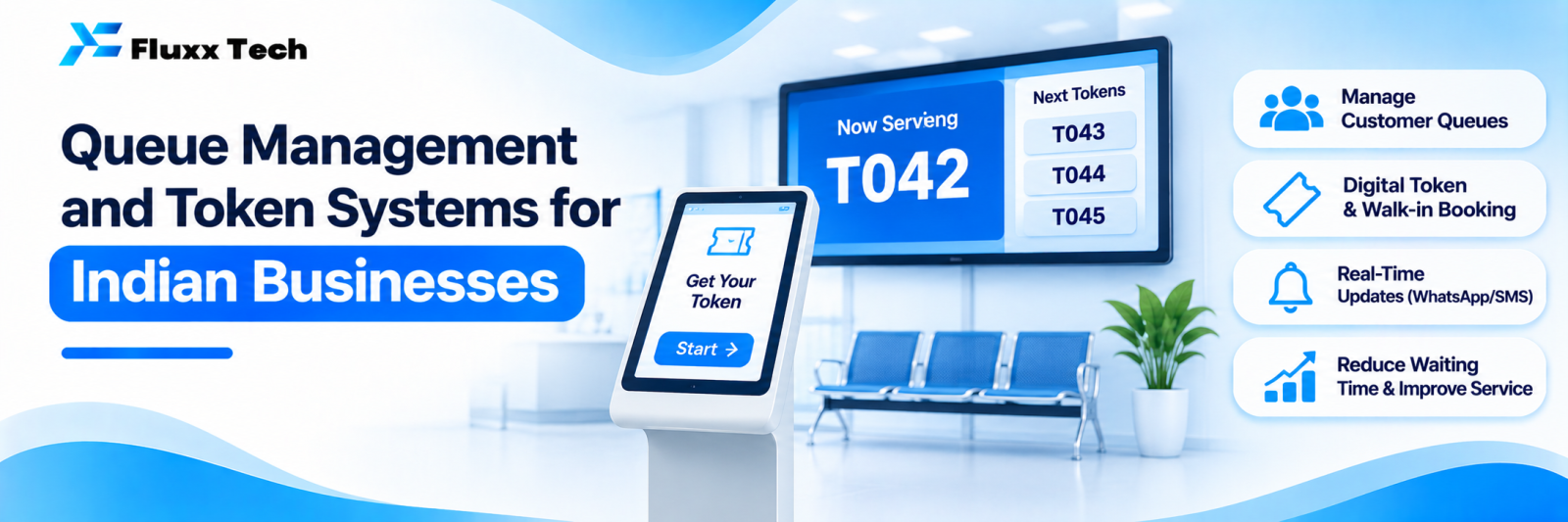
A crowded waiting area is a business problem disguised as a people problem. Customers argue about who came first, staff spend the day answering “how long more?”, and some people simply leave. A queue management system replaces that with a number, a display and an estimated wait.
This applies to clinics and hospitals, banks and finance offices, service centres, government-facing offices, showrooms, billing counters, salons and anywhere people wait.
What a queue system does
Function | Effect |
Issues a token | Order is fixed and visible, so no arguments |
Displays the current number | Customers stop asking staff |
Announces the token | Audio call-out, often in Tamil and English |
Routes by service type | Billing, consultation, pharmacy handled separately |
Shows estimated wait | Customers can judge whether to wait |
Records data | Wait times, service times, peak hours |
Types, cheapest to most capable
1. Printed token with a display
A button or a small printer issues a number; a display shows the one being served. Cheap, reliable, familiar to everyone.
Good for: billing counters, small clinics, service centres with one queue.
2. Multi-counter queue system
Several counters, several services. Tokens are prefixed by service (A-12 billing, B-07 pharmacy), and each counter calls the next in its own queue. A display board and voice announcement handle the rest.
Good for: hospitals, banks, finance offices, multi-department service points.
3. Virtual queue on WhatsApp or SMS
The customer joins the queue from their phone, or scans a QR on arrival, and gets a message when their turn approaches. They can wait outside, in the car, or finish other work.
Good for: clinics, salons, restaurants, anywhere the waiting area is small.
This is the biggest practical upgrade for most Indian businesses, because it removes the crowd without removing the queue.
4. Appointment-plus-queue
Booked appointments and walk-ins in one ordered list, with rules for how walk-ins are slotted between appointments. Harder to get right, and the most valuable where both exist.
Good for: clinics, diagnostic centres, salons.
Decide the rules before buying anything
These cause almost all queue disputes, and they are business decisions, not technical ones:
• Do appointments jump ahead of walk-ins? By how much?
• What happens when a token is called and nobody responds? Skipped, or moved down by three?
• Can a token be recalled, and by whom?
• Are senior citizens, emergencies or priority customers handled separately?
• Who can issue a manual token, and is it logged?
• What happens at closing time to tokens still waiting?
• Can a customer leave and rejoin?
Write them down. Software that implements vague rules produces arguments at the counter.
Hardware
Item | Notes |
Token dispenser or kiosk | A tablet with a button works for low volume |
Display screen | A TV with a small media player is usually enough |
Audio | Speaker for announcements, with Tamil and English voice |
Counter device | Small keypad, or software on the counter computer |
Printer | Thermal, if printing tokens |
UPS | Essential; a queue system that dies in a power cut creates chaos |
Network | Local network preferred, so the system survives internet outages |
Insist that the system works on the local network without internet. Many do not, and that becomes obvious at the worst moment.
Virtual queue flow
Customer scans QR at entrance, or sends a WhatsApp message
↓
Receives token number and estimated wait
↓
Waits outside, or nearby
↓
Message when 3 tokens remain
↓
Message when it is their turn
↓
Arrives at the counter
↓
Service completed, feedback request sent
Add a rule for people who do not arrive when called, and tell them that rule in the first message.
Measure what the queue tells you
The data is the under-used part. Once tokens are recorded, you can see:
Metric | What you do about it |
Average wait time | Staffing at peak |
Average service time per counter | Training and process gaps |
Peak hours and days | Roster planning |
Abandonment: tokens issued but never served | Revenue walking out |
Service mix by hour | Which counters need more people, when |
Staff-wise service time | Coaching, not punishment |
Abandonment is the number most businesses have never measured and are most surprised by.
Costs
Costs depend on counters, displays, hardware and whether you want virtual queueing. A single-counter token display is modest; a multi-counter system with WhatsApp queueing and reporting costs more. Budget for:
• Hardware and installation
• Software licence or build
• Annual maintenance
• Staff training
• Display content and announcements in the right languages
Fluxx Tech pricing: [add your price].
Common mistakes
• Buying hardware before deciding the rules
• A display nobody in the waiting area can see from where they sit
• Announcements too quiet, or in only one language
• No UPS
• Internet-dependent systems in places with unreliable internet
• Not using the data afterwards
• Staff who keep calling people by name anyway, which breaks the whole system
Frequently asked questions
Do we need special hardware? Not always. A tablet and a TV can run a basic system. Dedicated dispensers suit high-volume counters.
Can customers join the queue before arriving? Yes, with a virtual queue. Set a rule for how long you hold their place.
Does this work during power cuts? Only with a UPS and a system that runs on the local network. Confirm both before buying.