Fluxx Tech
A restaurant runs on speed and margin. An order that reaches the kitchen late, a dish billed at the wrong price, or a store that quietly loses 8% of its stock each month all show up in the same place: the monthly profit.
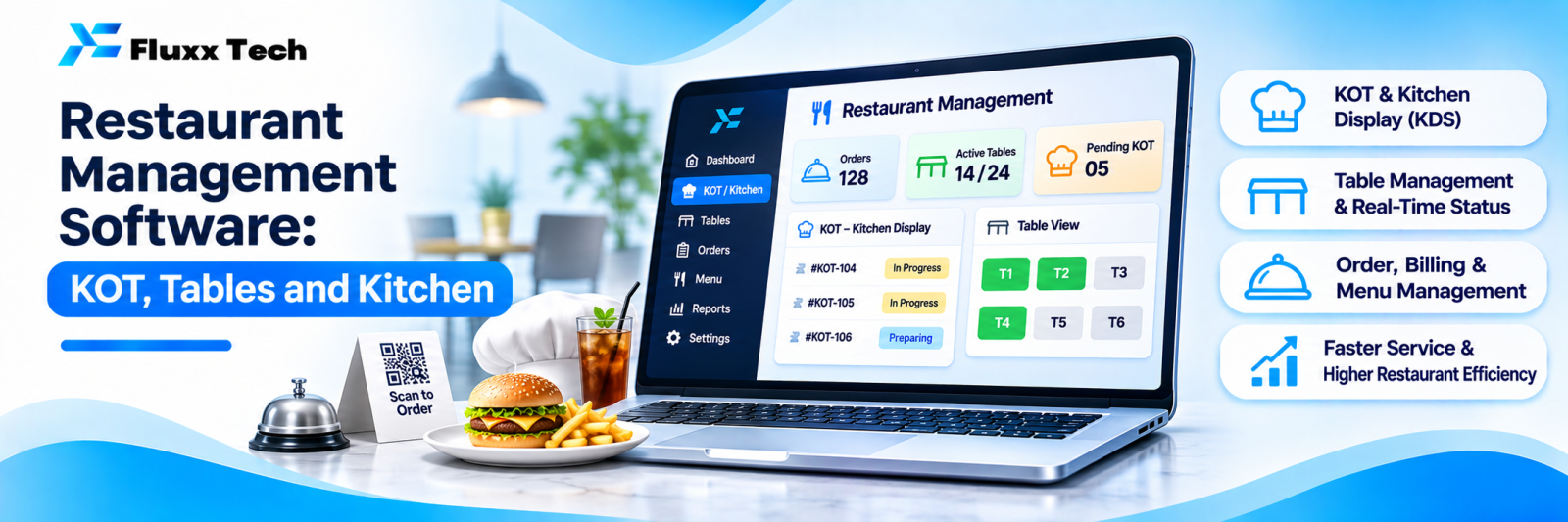
Restaurant management software is not just billing. It connects the table, the kitchen and the store.
Modules
Module | What it does |
Table management | Floor layout, table status, occupancy, turn time |
Order taking | Dine-in, takeaway, delivery; captain app or counter |
KOT | Kitchen order tickets, printed or on a screen, routed by section |
Kitchen display | Replaces printed tickets; shows order age and sequence |
Billing | Split bills, merge tables, discounts, taxes, service charge |
Menu management | Items, variants, add-ons, combos, timing-based availability |
Recipe and food cost | Ingredients per dish, theoretical consumption |
Inventory | Store stock, purchase, wastage, indent to kitchen |
Aggregator integration | Swiggy and Zomato orders into the same system |
Payments | Cash, card, UPI, wallets, split payment |
Reports | Sales, item-wise, hourly, food cost, wastage |
KOT and kitchen routing
The single biggest operational gain. Orders go straight from the captain’s device to the right kitchen section:
• Tandoor items to the tandoor printer
• Beverages to the counter
• Desserts to the cold section
Benefits: no handwriting errors, no lost chits, timestamps on every order, and a clear record of how long each dish took.
A kitchen display screen goes further: order age visible, colour-coded when late, items marked ready as they finish. Printers still have a place where screens are impractical, so decide per section.
Food cost: where the money is
Most restaurant owners know their sales and guess their food cost. Recipe-linked inventory closes the gap:
1. Define the recipe for each dish: ingredients and quantities
2. Sales consume theoretical ingredient quantities
3. Compare theoretical consumption with actual store issues
4. The difference is wastage, over-portioning or pilferage
A weekly variance report on your top 20 ingredients is the most valuable thing this software can give you. It does require discipline in store entries, so plan for that.
Aggregator orders
Swiggy and Zomato orders arriving on separate tablets create three problems: duplicate entry, menu and price mismatch, and no combined reporting.
Integration puts aggregator orders into the same system, so:
• One kitchen queue for all channels
• Stock depletes correctly
• Reports show dine-in, takeaway and aggregator side by side
• Menu and price changes are made once
Check which aggregators your chosen software integrates with, and whether the integration is official. Menu sync and price parity rules are set by the aggregators and change; confirm current terms directly with them.
Reports owners actually use
Report | Decision |
Sales by hour and day | Staffing and timings |
Item-wise sales and margin | Menu engineering: what to promote, reprice or remove |
Table turn time | Capacity during peak |
Food cost percentage | Profitability |
Theoretical vs actual consumption | Wastage and pilferage |
Discounts and void bills by user | Control |
Channel mix | Where growth is coming from |
Void and modified bills by user is worth watching. A pattern there usually explains a cash gap.
Practical requirements
• Works during an internet outage; billing must not stop
• Fast on cheap hardware
• Simple enough for staff who change frequently
• Tamil or local-language support where needed
• Printer compatibility with your existing printers
• UPS on the billing counter
Multi-outlet
If you run or plan more than one outlet:
• Central menu and price control, with outlet-level overrides
• Consolidated and outlet-wise reporting
• Central purchase and inter-outlet transfers
• One customer database across outlets
Decide this before you buy. Retrofitting multi-outlet control onto single-outlet software usually means replacing it.
Frequently asked questions
Do small restaurants need all this? No. Start with billing, KOT and basic item reports. Add recipe costing and inventory once the basics are habit.
Can it integrate with Swiggy and Zomato? Many systems do. Confirm which integrations are official and currently supported.
What about GST and e-invoicing? Billing must handle GST correctly, and e-invoicing if your turnover requires it. See our e-invoicing guide.