 Fluxx Tech
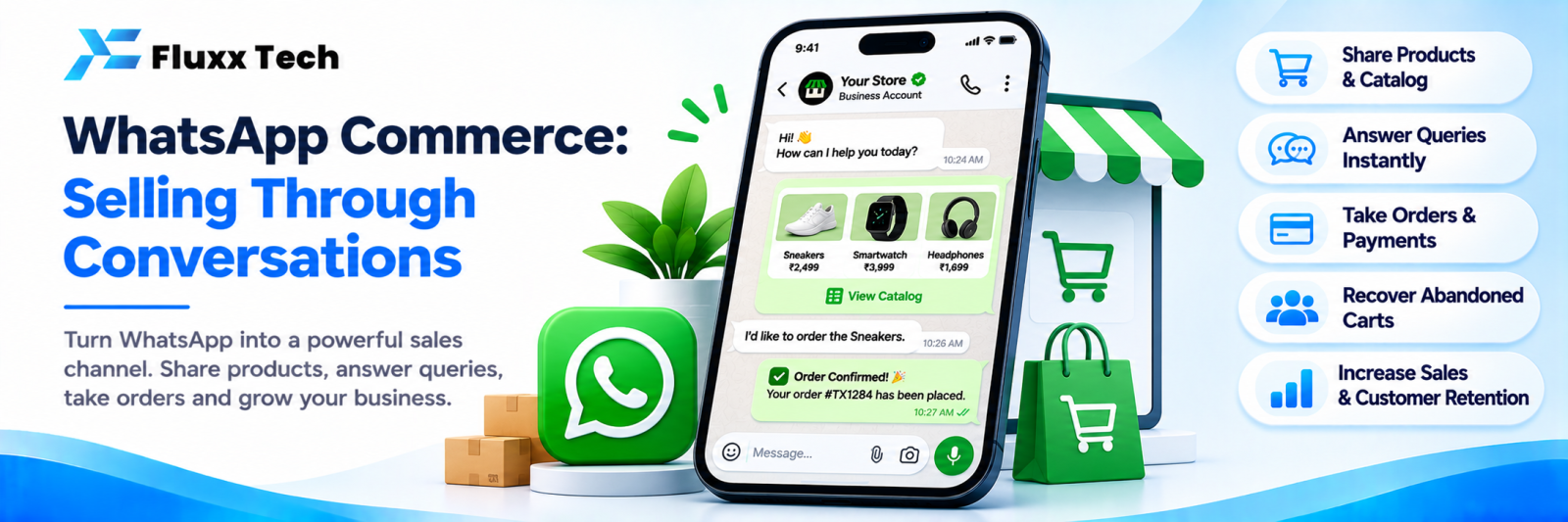
In India, a large share of online buying never touches a shopping cart. The customer sees a product on Instagram or a status, messages the business on WhatsApp, asks the price, sends a photo, agrees a total, pays by UPI and gets a delivery date. That is WhatsApp commerce, and for many businesses it converts better than a website.
The question is how to run it properly rather than through one overloaded phone.
Why it converts
• No app to install, no account to create, no password
• The customer can ask a question before buying, which a website cannot answer
• Trust: a named person replied
• Payment through the UPI app they already use
• The conversation history is the order record
• Re-ordering is one message
What a proper setup includes
Element | Purpose |
WhatsApp Business API account | Multiple agents, automation, templates |
Verified business profile | Name, logo, address, hours, website |
Product catalogue | Browsable items with prices inside WhatsApp |
Cart | Customer assembles an order themselves |
Payment link or UPI | Collection inside the conversation |
Order status templates | Confirmed, packed, dispatched, delivered |
Shared inbox | A team, not one phone |
Automation | Instant answers to price, delivery, stock |
Lead and order records | So nothing is lost |
The free WhatsApp Business app works for a single seller. Once more than one person needs to reply, or you want automation and reporting, you need the API.
Catalogue and cart
WhatsApp lets businesses show a catalogue inside the chat. Customers browse, add to cart and send the cart as a message.
Make it work:
• One clear photo per item, shot consistently
• Specific names: “Cotton saree — blue, zari border”, not “Item 12”
• Prices on everything
• Group into collections
• Keep stock accurate; nothing annoys a buyer more than “sorry, sold out” after they have chosen
• Update prices in one place
The cart message gives you the order in a structured form instead of a scroll of “this one and that one”.
Payments
• UPI collect or QR: the most common; confirm receipt before dispatch
• Payment link: from your gateway, sent in the chat; gives you a record and auto-reconciliation
• COD: still expected in many categories
Always send a written confirmation of what was paid and what is being sent. It prevents disputes.
Opt-in and the rules
WhatsApp business messaging is rule-bound, and the rules change. The essentials as they generally stand:
• You need the customer’s opt-in before sending them business-initiated messages
• Business-initiated messages use approved templates, categorised by purpose, with charges that vary by category
• Replies within the customer service window after a customer’s message are treated differently from business-initiated ones
• Marketing messages have stricter rules and higher costs than utility messages like order updates
Check Meta’s current WhatsApp Business Platform documentation before designing any campaign. Do not buy or import phone number lists; sending to people who never opted in gets your number blocked.
A conversation flow that works
1. Entry
From an Instagram comment-to-DM, a website chat button, a QR code at your shop, or a “Message us” ad.
2. Instant reply
Hi! Welcome to [Business] 👋 1 — View catalogue 2 — Prices 3 — Delivery info 4 — Talk to our team
3. Browse and choose
Catalogue, or staff sending specific items.
4. Confirm
Items, total, delivery charge, address, delivery date. In one message, clearly.
5. Pay
UPI or payment link. Confirm receipt.
6. Updates
Order confirmed → packed → dispatched with tracking → delivered. Templates, sent automatically.
7. After delivery
Thank you, ask for feedback, invite a repeat order. One message, not five.
Connect it to Instagram
Most product discovery happens on Instagram; most selling happens on WhatsApp. The handover between them is where businesses lose people.
Comment-to-DM on Instagram, then a WhatsApp link in that DM, puts the customer in the channel where you can send catalogues, take payment and send order updates. One dashboard covering both means the same team sees the whole journey. See our Instagram lead generation guide.
Mistakes to avoid
• Broadcasting marketing to everyone who ever messaged you
• Sending messages to numbers that never opted in
• One phone for the whole business
• No order record outside the chat
• Catalogue prices that do not match what you quote
• Slow replies during a campaign you are paying to run
Frequently asked questions
Do I need the WhatsApp Business API? Only once you need multiple agents, automation, templates or reporting. A single seller can start with the free app.
What does WhatsApp messaging cost? Business-initiated messages are charged by category, and pricing changes. Check the current WhatsApp Business Platform pricing for India.
Can I send offers to all my customers? Only to those who opted in, using approved marketing templates, within current policy.


