Fluxx Tech
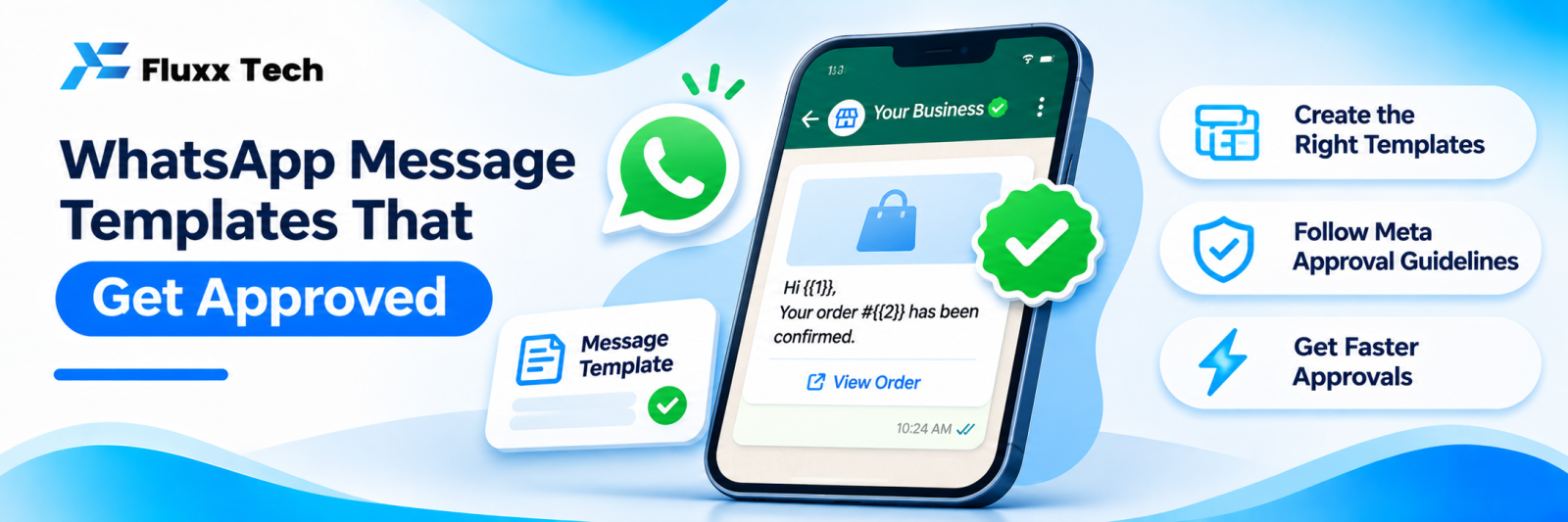
On the WhatsApp Business Platform, you cannot freely message a customer who has not written to you recently. Business-initiated messages use templates, pre-approved by Meta, and the template’s category affects what you pay.
Get templates right and your order updates, reminders and offers go out reliably. Get them wrong and they are rejected, or worse, approved and then disabled after customers block you.
Categories, pricing and policy change. Check Meta’s current WhatsApp Business Platform documentation before building a campaign around any specific behaviour.
Categories
Category | For | Typical cost |
Utility | Order updates, appointment reminders, payment confirmations, account alerts, things tied to an existing transaction | Lower |
Authentication | One-time passcodes | Separate pricing |
Marketing | Offers, promotions, announcements, re-engagement | Highest |
Meta reviews whether your content matches the category you chose. A promotional message submitted as utility gets reclassified or rejected. Do not try to game this; it is checked.
The parts of a template
• Header (optional): text, image, video or document
• Body (required): the message, with variables in curly braces
• Footer (optional): small text, often an opt-out line
• Buttons (optional): quick replies, or links such as a payment page or tracking link
Writing rules
1. Match the category. Utility templates must relate to a specific transaction the customer made.
2. Be specific. “Your order #{{1}} has been dispatched” is clear. “We have an update for you” is vague and gets rejected.
3. Use variables for data, not for the whole message. A template that is almost entirely {{1}} will be rejected, because Meta cannot review what it will actually say.
4. Give variables sample values when submitting, so the reviewer sees a realistic message.
5. Keep it short. Three or four lines.
6. No spelling and grammar errors. They cause rejections.
7. No broken or placeholder links.
8. No prohibited content. Check Meta’s commerce and business messaging policies for restricted categories.
9. Add an opt-out line on marketing templates. It reduces blocks, which protects your quality rating.
10. Language. Submit per language; a Tamil template is a separate template.
Examples to adapt
Order dispatched (utility)
Hi {{1}}, your order {{2}} has been dispatched 🚚 Expected delivery: {{3}} Track here: {{4}} Reply HELP for assistance.
Appointment reminder (utility)
Hi {{1}}, a reminder of your {{2}} appointment on {{3}} at {{4}}. Location: {{5}} Reply CHANGE to reschedule.
Payment reminder (utility)
Hi {{1}}, invoice {{2}} for ₹{{3}} is due on {{4}}. Pay here: {{5}} Thank you.
Offer (marketing)
Hi {{1}}, our {{2}} sale is on until {{3}} 🎉 Up to {{4}} off on {{5}}. Reply STOP to opt out.
Button: View catalogue
Feedback request (utility, after service)
Hi {{1}}, thank you for visiting {{2}} today. How was your experience? Reply with a number from 1 to 5.
Common rejection reasons
Reason | Fix |
Category mismatch | Resubmit under the correct category |
Too generic | Say exactly what the message is about |
Variable-only content | Add fixed text around the variables |
Missing sample values | Provide realistic examples |
Spelling or grammar errors | Proofread |
Promotional content in a utility template | Move it to marketing |
Prohibited category content | Check current policy |
Broken link | Use a live, working URL |
Opt-in is still required
An approved template is permission from Meta, not from the customer. You still need the customer’s opt-in before sending business-initiated messages, and you must honour opt-outs immediately.
Collect opt-in at genuine moments: a WhatsApp button on your site, a QR at your counter, a checkbox at checkout, or simply asking during a conversation. Never buy or import lists.
Protect your quality rating
• Segment: send relevant messages to relevant people
• Limit marketing frequency
• Honour STOP immediately, and automatically
• Watch block and report rates weekly
• Pause campaigns if quality drops
A damaged quality rating reduces your messaging limits, which affects even your transactional messages. That is a far more expensive problem than a slow month of promotions.
Build a template library
Most businesses need around ten to fifteen:
Order placed · Payment received · Order dispatched · Out for delivery · Delivered · Appointment confirmed · Appointment reminder · Payment due · Payment overdue · Feedback request · Welcome · Offer announcement · Re-engagement · Document delivery · Support follow-up
Submit them in one batch, in every language you need, and keep a record of which are approved.
Frequently asked questions
How long does template approval take? Often quick, but it varies and can take longer during review backlogs. Submit well before a campaign.
Can I edit an approved template? Editing generally triggers re-review. Plan templates so small changes fit in variables.
Do replies within a conversation need templates? No. Within the customer service window after a customer’s message, you can reply freely. Check the current window rules.