Fluxx Tech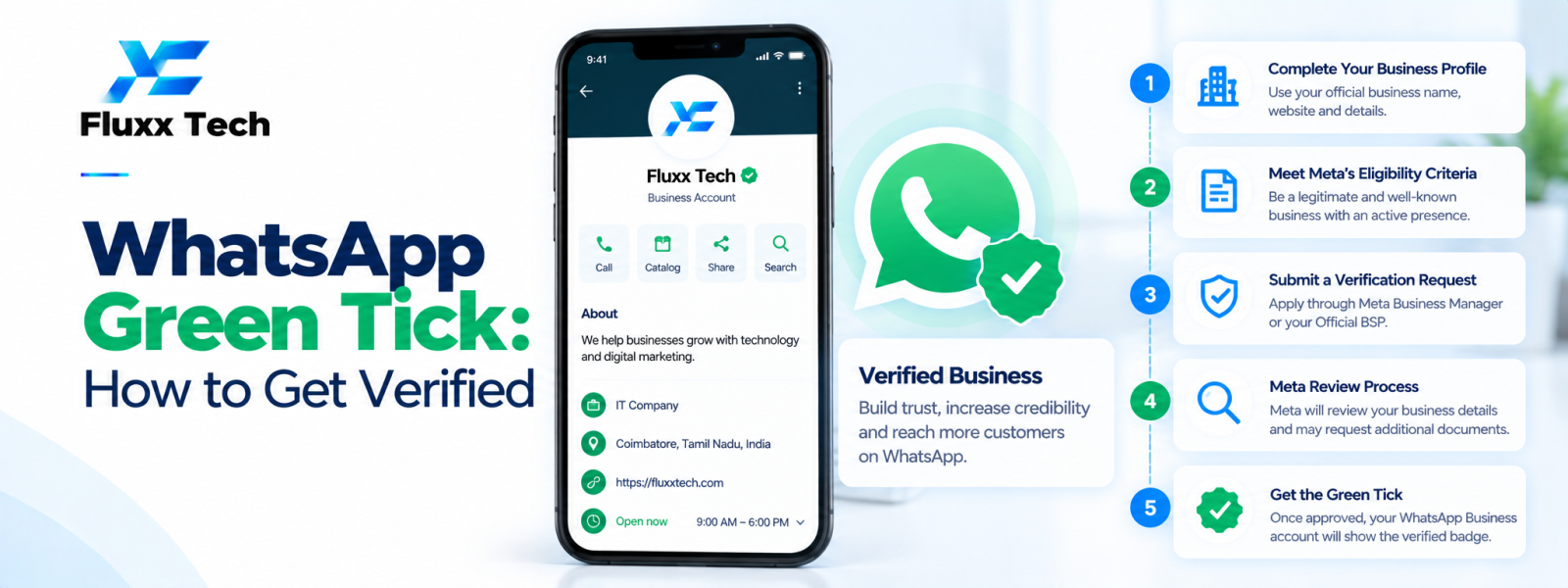
A WhatsApp verified business badge is often discussed as a green tick, but eligibility, badge appearance and the application process depend on the current WhatsApp product and Meta rules. Verification should not be treated as a guaranteed reward for spending money or using a particular provider. Before applying, review official guidance for the relevant account type and make sure your business details and customer-facing presence are accurate.
Understand what verification means
A verification badge is intended to help users recognise an eligible official business presence under the applicable product rules. It is different from simply creating a business profile, completing business verification or obtaining access to the Business Platform.
Meta may change the badge design, eligibility criteria or process. Avoid using old instructions or assuming that every account can apply through the same route.
Check eligibility and account readiness
Review the current official requirements for the account type, country and business category. Make sure the business name, website and contact information are consistent and that the account follows relevant platform policies.
Maintain a genuine business presence and use accurate customer-facing information. A provider can help explain setup steps, but it cannot guarantee that Meta will approve a badge.
Prepare before applying
Confirm that the relevant business account and phone number are configured correctly. Review any required business information, account quality signals and policy status specified in the current official process.
Gather the evidence requested by the official application flow and submit accurate details. Do not create false press mentions, misrepresent business activity or pay an untrusted intermediary who promises guaranteed approval.
Avoid scams and false promises
Be cautious of unsolicited messages claiming to sell a badge or guarantee verification. Do not share passwords, one-time codes or account access with a person who cannot be independently verified.
Use official Meta resources and your trusted provider's documented support channel. If an application is declined, read the official reason and follow the supported next steps rather than repeatedly submitting inaccurate information.
Build trust beyond the badge
Keep your business profile complete, respond consistently, publish accurate information and use a clear customer support process. Customers also judge a business by service quality, transparency and how their data is handled.
A badge does not replace good customer communication, consent management or compliance with WhatsApp policies.
Conclusion
In conclusion, a well-planned WhatsApp business workflow should make communication more useful for customers while remaining organised, permission-based and aligned with the platform’s current policies. Define the use case first, configure the right tools and templates, test the customer journey and monitor message quality and outcomes. Review official WhatsApp and Meta guidance before making decisions about pricing, eligibility or policy requirements. With clear processes and relevant communication, businesses can use WhatsApp more effectively for customer conversations and support.
Frequently Asked Questions
Can a WhatsApp provider guarantee the green tick?
No provider should promise a guaranteed outcome where approval is controlled by Meta's current eligibility and review process.
Is business verification the same as the green tick?
They are not necessarily the same. Check current official definitions and requirements for the relevant product.
Where should I apply?
Use the official WhatsApp or Meta account interface and current official documentation for your account type.