Fluxx Tech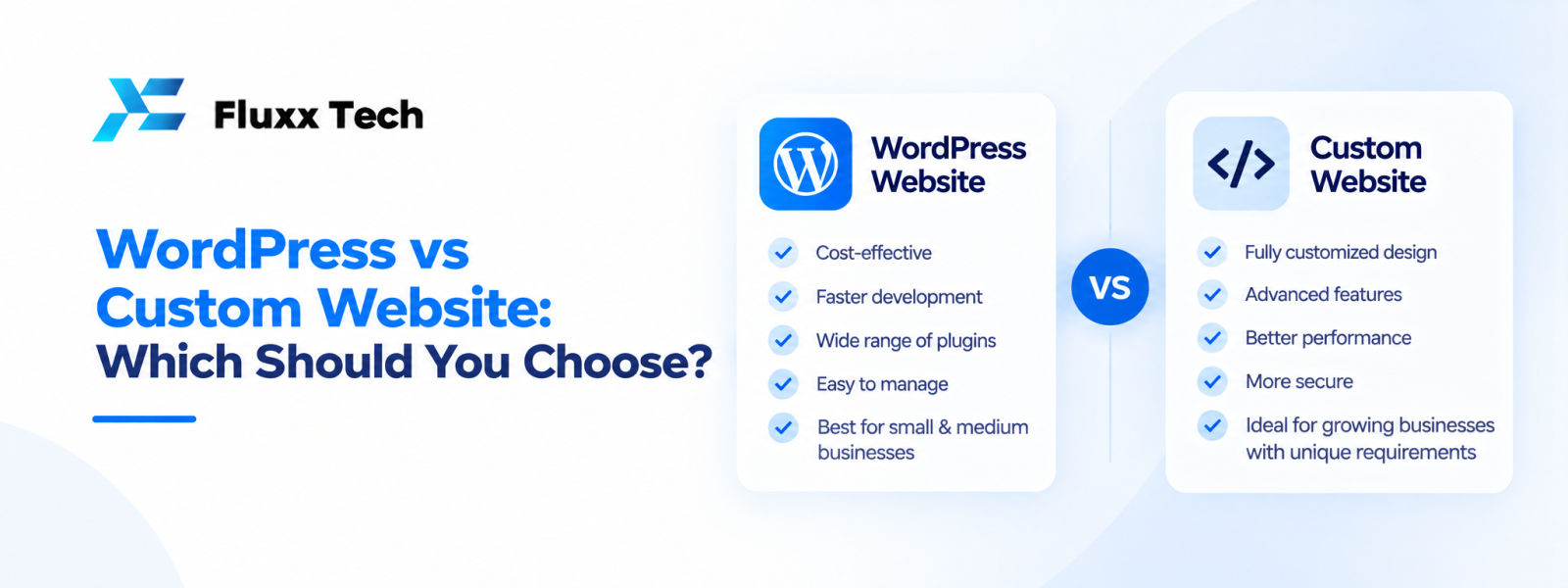
When planning a website, many businesses compare WordPress with a custom-built solution. The right choice depends on the site's purpose, content workflow, required integrations and how much flexibility the business needs. WordPress vs custom website is not simply a contest between an easy option and a powerful option. WordPress can support many business sites, while custom web development may be useful for specialised workflows or complex integrations. This guide explains the trade-offs so you can make a decision based on your requirements.
What is a WordPress website?
Content management
WordPress is a content management system that allows authorised users to create and update pages and posts through an administration interface.
Themes and plugins
Themes influence presentation and plugins can add functionality. Their suitability, quality, maintenance and compatibility should be reviewed before installation.
Where it can fit
WordPress may suit company websites, service pages, blogs and some e-commerce projects when the selected configuration meets the requirements.
What is a custom website?
Built around specific needs
A custom website is developed with an architecture and features selected for the project. It can support specialised workflows, integrations and user experiences.
More control, more responsibility
Custom development can offer flexibility, but the business may need more technical planning, testing and ongoing developer support.
Not automatically better
If the requirements are common and a maintained platform meets them, custom development may add unnecessary complexity. The choice should be evidence-based.
WordPress vs custom website: compare the key factors
Initial scope and effort
A suitable CMS can reduce the need to build common content features from scratch. Custom functionality may require additional design and development effort.
Flexibility
Both approaches can be extended, but the limits and costs differ. WordPress depends on its theme, plugins and custom code, while a custom build depends on its architecture and implementation.
Content updates
WordPress can be convenient for teams that publish pages and blogs regularly. A custom site can also provide an editor, but that capability must be designed and implemented.
Security and maintenance
WordPress sites need updates to core software, themes and plugins. Custom sites also need dependency updates, secure coding, monitoring and maintenance. Neither option removes security responsibilities.
Integrations
Check whether existing plugins or APIs meet the requirements. Unusual workflows or deep integration needs may justify custom work.
Ownership and portability
Understand access to code, content, data and hosting in either approach. Review licence terms and the process for moving to another provider.
When WordPress may be a good fit
Content-led business sites
If the business needs service pages, articles, forms and regular content updates, WordPress may be a practical choice.
Common features
When well-maintained plugins meet the requirements, they may avoid building standard functionality from scratch.
Internal editing
Teams that need to update content without developer involvement may benefit from a familiar content management workflow.
When custom web development may be justified
Specialised business workflows
If the site needs complex role-based actions, unique business rules or unusual data flows, a custom solution may offer a better fit.
Deep system integration
Some projects connect multiple internal systems or require custom APIs and data processing.
Specific performance or architecture needs
A custom architecture may be appropriate when measurable requirements cannot be met effectively by an existing platform. Validate this through technical assessment rather than assumption.
How to make the platform choice
Document requirements
List content types, user roles, workflows, integrations and reporting needs.
Separate standard from unique features
Identify what a CMS can handle and what requires custom implementation.
Estimate the lifecycle
Compare setup, licences, hosting, updates, support, future features and migration considerations.
Review the maintenance owner
Make sure someone is responsible for updates, backups, security and troubleshooting after launch.
Frequently Asked Questions
Is WordPress better than a custom website?
Neither is universally better. WordPress can fit content-led sites, while custom development may suit specialised workflows.
Can WordPress support e-commerce?
Yes, with an appropriate e-commerce setup and extensions, provided they meet the business requirements.
Is a custom website more secure?
Security depends on implementation, configuration, maintenance and access controls—not simply whether the site is custom.
Can I move away from WordPress later?
Migration is possible, but the effort depends on themes, plugins, content structure and custom functionality.
How should I choose a website platform?
Compare required features, content workflows, integrations, total ownership costs and maintenance capacity.
Conclusion
WordPress vs custom website should be decided by the requirements and the business's ability to maintain the solution. Choose a CMS when it fits the workflow; consider custom development when specialised functionality justifies it. Evaluate the full lifecycle, not only the initial build.