Fluxx Tech
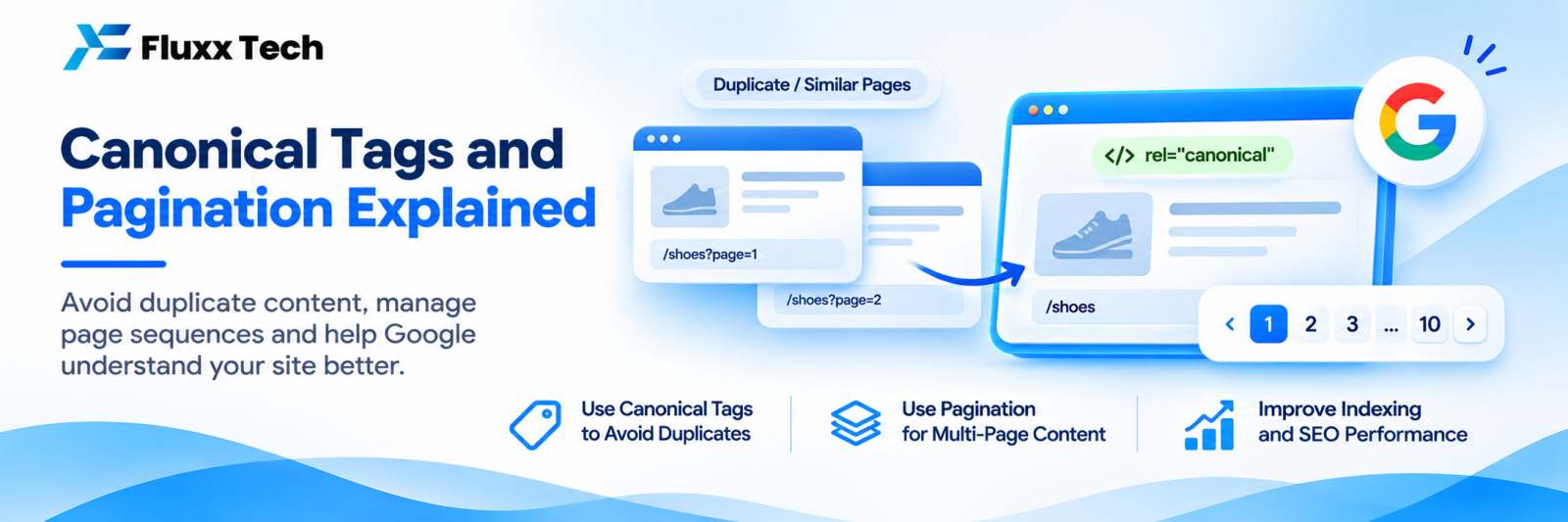
When the same or very similar content is reachable at more than one URL, Google has to pick one to show. A canonical tag is how you tell it which one you prefer.
Get it right and duplicate content stops being a problem. Get it wrong and you can quietly remove your best pages from search.
What a canonical tag looks like
In the <head> of the page:
<link rel="canonical" href="https://fluxxtech.com/services/web-development" />
It says: “if you find this content at other URLs, treat this one as the original.”
When you need one
Situation | Canonical points to |
Tracking parameters: ?utm_source=instagram | The clean URL |
Sorting and filtering: ?sort=price | The unfiltered category page |
Session or affiliate IDs | The clean URL |
Print or AMP versions | The main page |
The same product in two categories | One chosen URL |
Syndicated content published elsewhere | Your original |
http/https and www/non-www variants | The chosen version |
Rules that prevent most problems
1. Every page should have a self-referencing canonical. A page pointing at itself is normal and correct. It protects you from parameter URLs you did not anticipate.
2. Use absolute URLs. Full https://domain.com/path, not /path.
3. Point to a URL that returns 200. Not a redirect, not a 404.
4. One canonical per page. Two conflicting tags means Google ignores both.
5. Canonical and sitemap must agree. Only canonical URLs belong in your sitemap.
6. Internal links should point to the canonical. Linking internally to a non-canonical variant sends a mixed signal.
7. Do not combine canonical with noindex on the same page. They say contradictory things.
8. Cross-domain canonicals work when you syndicate content, but use them deliberately; pointing your pages at another domain hands that domain the ranking.
Mistakes that cause real damage
Mistake | Effect |
Every page canonicalised to the homepage | Your inner pages disappear from search |
Canonical pointing to a redirected URL | Confusing signal, often ignored |
Canonical to a 404 | Ignored, and a sign of a broken template |
Canonical left pointing at the staging domain after launch | A common and severe launch bug |
Different canonical in HTML and HTTP header | Conflict |
Canonical injected by JavaScript after load | May not be seen |
Pagination all canonicalised to page 1 | Pages 2+ are not indexed, so their products are not discovered |
The staging-domain canonical is worth checking right now on any recently launched site. It is silent, common and costs all your rankings.
Google can ignore your canonical
A canonical is a hint, not a command. Google may choose a different page if it thinks yours is wrong, for instance if the pages are not actually duplicates, if your canonical target is weaker, or if signals contradict each other.
Search Console’s URL Inspection shows two values: user-declared canonical (yours) and Google-selected canonical (what it actually used). When they differ:
1. Confirm the two pages really are duplicates
2. Check for conflicting signals: internal links, sitemap entries, redirects
3. Strengthen the preferred page’s internal links
4. Consider whether the other page should exist at all
Pagination
For a category spread over several pages, the current approach is simpler than it used to be:
• Each paginated page has a self-referencing canonical: page 2 canonicalises to page 2
• Link pages together with ordinary <a href> links; a “load more” button that only works with JavaScript can hide your later pages
• Include paginated pages in internal linking so products on page 7 are discoverable
• Use distinct title tags where helpful: “Sarees — Page 2”
• Do not canonicalise all pages to page 1; the products on later pages then have no path for discovery
“View all” pages: if you offer one and it loads acceptably fast, canonicalising paginated pages to it is reasonable. If it is slow, keep self-referencing canonicals.
Note that rel="next" and rel="prev" are no longer used by Google as an indexing signal, though they do no harm.
Canonical, redirect or noindex: which?
You want | Use |
Two URLs, both should stay accessible, one should rank | Canonical |
One URL should permanently replace another | 301 redirect |
A page should exist for users but never appear in search | noindex |
A URL should not be crawled at all | robots.txt |
Choosing the wrong one of these causes most duplicate-content problems. A 301 is stronger and clearer than a canonical; use it whenever the old URL genuinely should not exist.
A quick audit
• ☐ Every page has exactly one self-referencing canonical
• ☐ No canonicals pointing to staging, http, or www variants you do not use
• ☐ No canonicals pointing to redirects or 404s
• ☐ Sitemap contains only canonical URLs
• ☐ Paginated pages self-canonicalise
• ☐ Internal links point to canonical URLs
• ☐ Spot-check 10 URLs in Search Console: do declared and selected canonicals match?
Frequently asked questions
Is a canonical tag enough to fix duplicate content? Often, but a 301 redirect is stronger when the duplicate should not exist at all.
Should blog tag and category pages be canonicalised? Usually self-canonicalised and, if thin, noindexed. Do not canonicalise them to an unrelated page.
Does a canonical pass link value? Google consolidates signals to the canonical URL, so links to the duplicate generally benefit the canonical.