Fluxx Tech
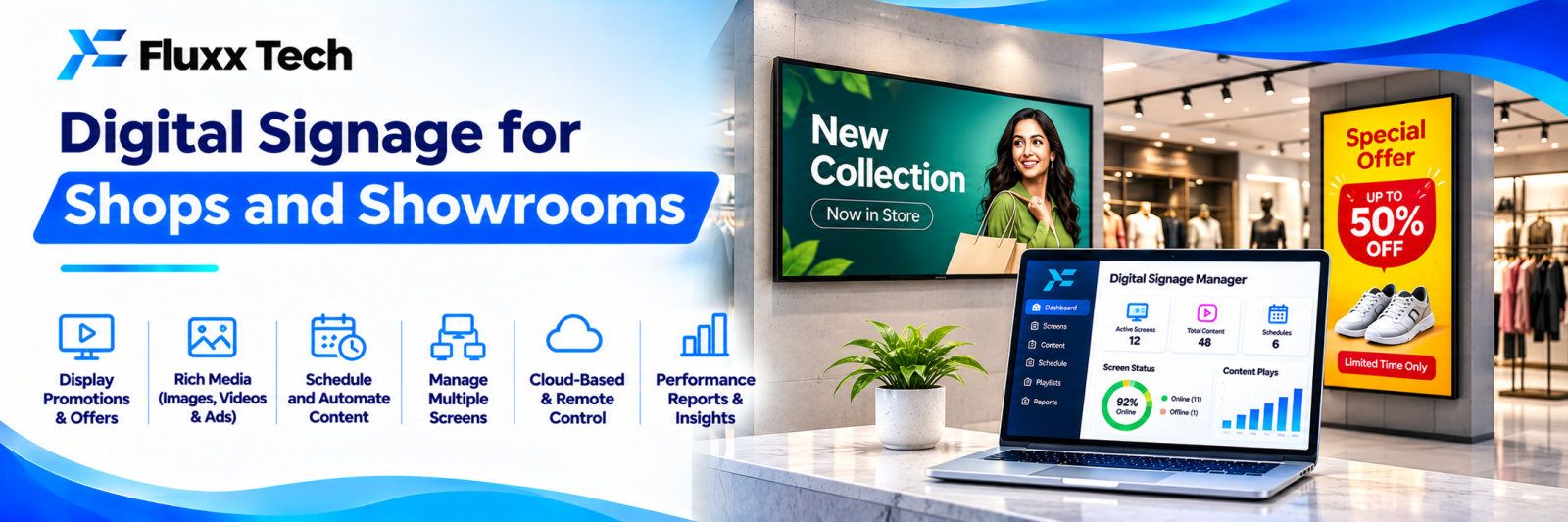
A printed poster costs money every time the offer changes, and in most shops it stays up long after the offer ends. A screen changes in seconds, from anywhere, across every branch at once.
Digital signage is not complicated. What makes it fail is nobody owning the content, so the screen shows the same three slides for eight months and customers stop seeing it.
Where it works
Place | Use |
Retail shop windows | Offers, new arrivals, seasonal campaigns |
Showrooms | Product videos, specifications, finance options |
Restaurants and cafes | Digital menu boards, specials, combo pricing |
Clinics and labs | Token display, services, health information |
Banks and finance offices | Token queue, rates, product information |
Factories | Production targets, safety messages, shift information |
Offices | Reception welcome, dashboards, announcements |
Hotels | Event schedules, wayfinding |
Educational institutions | Notices, timetables, achievements |
What a system consists of
Screens. Consumer TVs work for low-usage indoor sites. Commercial displays cost more but are built for long daily hours, higher brightness and vertical mounting. For a shop window in direct sunlight, a consumer TV will not be bright enough and may overheat.
Media player. A small box connected to the screen: Android player, mini PC, or a smart display with built-in software. Avoid USB pen drives; they mean someone physically visits every screen for every change.
Content management software. Where you upload content, build playlists, schedule and publish to screens. This is what makes it manageable across branches.
Network. Wi-fi or LAN at each screen. Content should be cached locally so the screen keeps playing if the internet drops.
Mounting and power. Often underestimated: wall mounts, cable routing, a dedicated socket, and a UPS if the screen must never go blank.
Content that actually works on a screen
People glance at signage for two to four seconds while walking past.
• One message per slide. Not three offers crammed together.
• Large text. Readable from across the shop, which means far larger than it looks on your laptop.
• High contrast. Dark backgrounds with light text usually read better.
• Short dwell time: 8–12 seconds per slide, and a loop of no more than two minutes.
• Motion catches the eye, but constant animation is tiring. Use it on one element.
• Price and offer visible, since that is what stops people.
• Vertical layout for a portrait screen, designed for it, not a stretched landscape image.
• Local language where your customers read Tamil. Alternate Tamil and English slides rather than cramming both.
Scheduling
This is where a screen beats a poster:
• Breakfast menu until 11 am, lunch menu after
• Weekend offers only on Saturday and Sunday
• Festival content starting and ending on fixed dates
• Branch-specific content on top of a common base playlist
• Emergency override: a single message pushed to every screen immediately
Set start and end dates on every campaign when you create it. That one habit prevents expired offers staying up.
Live data on screens
Beyond static slides:
• Token or queue numbers. See our queue management guide
• Live stock or price feeds from your billing system
• Production or sales dashboards in a factory or office. See our business dashboards guide
• Google reviews and ratings
• Weather, date and time
• Social media feeds, with moderation
Pulling price data from your own system removes the single most common signage error: a screen advertising a price your till no longer charges.
Costs to plan for
• Screens, which vary widely between consumer and commercial grade
• Media players, one per screen
• Mounting and installation, including electrical work
• Software licence, typically per screen per month
• Content design, which is an ongoing cost, not a one-time one
• Internet connectivity at each location
• Replacement and maintenance
Fluxx Tech pricing: [add your price].
The ongoing design cost is the one businesses forget. Budget for someone to produce new content monthly, or the system dies quietly.
Common mistakes
• Expired offers left running
• Text too small to read from where customers stand
• A loop so long nobody sees the whole thing
• Screens positioned where no one looks
• A screen showing a Windows error or a screensaver
• No content owner, so nothing changes
• Consumer TVs in direct sunlight
• No remote management, so every update needs a site visit
Put a monitoring check in place: a weekly automated screenshot or status report telling you every screen is online and playing the right playlist.
Measure
Metric | How |
Sales lift on promoted items | Billing data, before and after |
Screen uptime | Management software |
Content freshness | Date of last change per screen |
Footfall or dwell near the screen | Observation, or camera analytics where justified |
Offer redemption | A code shown only on the screen |
A code or keyword shown only on the screen is the simplest way to prove it works.
Frequently asked questions
Can we use a normal TV? Indoors, for limited hours, yes. For shop windows or all-day operation, commercial displays last longer and are brighter.
Do we need internet at every screen? For remote updates, yes. Content should cache locally so the screen keeps playing during an outage.
How often should content change? At least monthly, more often for offers. A static screen stops being noticed within two weeks.