Fluxx Tech
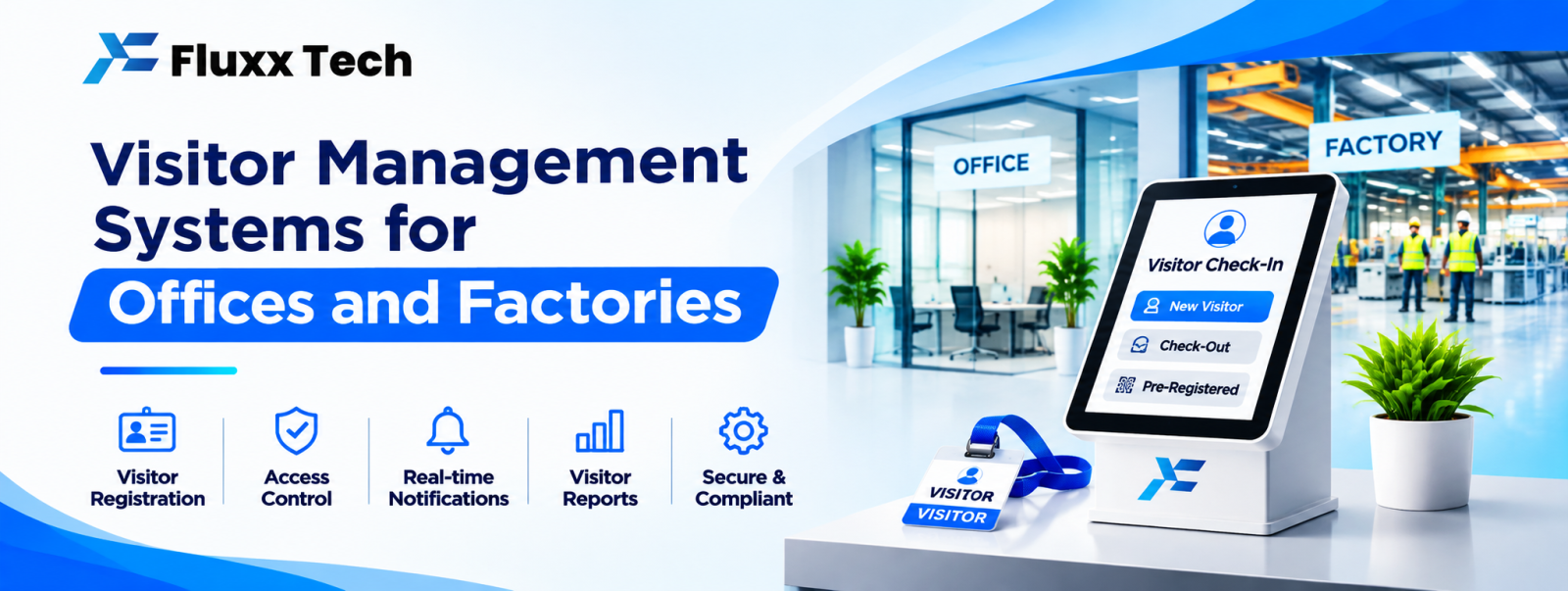
The register at the gate is a security control that does not work. Handwriting is illegible, nobody verifies anything, the previous visitor’s details are visible to the next one, and if you ever need to know who was in the building on a particular afternoon, you are flipping through pages.
A visitor management system replaces it with a record you can actually search.
Who needs one
• Corporate and IT offices
• Factories and manufacturing units
• Hospitals and clinics
• Schools and colleges
• Apartment complexes and gated communities
• Warehouses and logistics hubs
• Government and institutional offices
• Co-working spaces
What it does
Function | Why |
Pre-registration | Host invites a visitor in advance; entry takes seconds |
Self check-in | Tablet or kiosk at reception |
ID capture | Photo, and ID scan where your policy requires it |
Badge printing | Visible identification inside the premises |
Host notification | SMS, WhatsApp or email the moment the visitor arrives |
Approval | Host accepts or declines before entry |
Check-out | So you know who is still inside |
Blacklist | Flagged persons blocked at entry |
Reports | Who was in, when, who they met, for how long |
Pre-registration changes the experience
The biggest practical gain. The host enters the visitor’s name and number; the visitor gets a message with a QR code, the gate address and parking instructions. On arrival they scan and walk in.
This removes the queue at reception, which is where most visitor friction sits, and it makes the record accurate because the host entered the details, not a watchman copying from a business card.
Factory and site-specific needs
Manufacturing units need more than offices do:
• Contractor and labour entry: daily workers, gang size, contractor name, work permit reference
• Work permits: hot work, height work, confined space, linked to the entry record
• Safety induction: a short video or acknowledgement before first entry, recorded
• PPE check: confirmation at the gate
• Vehicle entry: vehicle number, driver, material in or out, gate pass
• Material gate pass: returnable and non-returnable, matched against a document
• Multiple gates, syncing with each other
• Shift-wise reporting
The vehicle and material gate pass side is often the bigger financial control. Material leaving without a matching document is a far more expensive problem than an unlogged visitor.
Apartment and gated community needs
• Resident approval before a visitor is allowed in
• Pre-approval for expected guests, maids, drivers and tuition teachers
• Delivery handling: food, courier, ecommerce
• Cab and auto entry
• Staff attendance for domestic help
• Resident app for approvals
See our apartment and society management guide.
Integrations worth having
• Access control and boom barriers
• Attendance and HR systems, so employees are not treated as visitors
• WhatsApp for host notification and visitor pass delivery
• Vehicle number plate recognition, where volume justifies it
• Meeting room booking
Privacy obligations
You are collecting personal data, often including photographs and ID documents.
• Collect only what you actually need; photographing an Aadhaar card is not always necessary, and storing one creates obligations
• Mask or avoid storing full ID numbers where a verification check would do
• Tell visitors what you collect and why, with a notice at reception
• Restrict who can view visitor records
• Set a retention period and delete older records automatically
• Keep the log private; a shared register where the next visitor reads the last one’s details is itself a privacy problem
Under the DPDP framework these obligations are real. Confirm your position with a legal adviser. This article is not legal advice.
Hardware
Item | Notes |
Tablet or kiosk | A wall-mounted tablet is enough for most receptions |
Badge printer | Thermal, for printed passes |
QR scanner | Or the tablet camera |
ID scanner | Optional, and consider whether you need it |
Camera | For visitor photo |
UPS | Entry cannot stop in a power cut |
Also decide: what happens when the system is down or the internet drops? There must be a fallback, usually a basic offline mode, or the gate stops working.
Reports security actually uses
• Who is inside right now, by area
• Visitor history by person, by host, by date
• Repeat visitors
• Average visit duration
• Contractor man-hours on site
• Vehicles in and out with material references
• Emergency evacuation list: everyone currently on site
That last one is the reason many factories buy the system. In an evacuation, a printed current-occupancy list is the difference between a controlled headcount and guessing.
Rollout
1. Decide your policy first: who may enter, what is verified, what is recorded, how long it is kept
2. Start at the main gate only
3. Train security staff, including relievers and night shift
4. Run parallel with the register for a week
5. Add host notification and pre-registration
6. Add vehicle and material gate pass
7. Add contractor and permit workflows
8. Review reports monthly
Frequently asked questions
Will security staff use it? Yes, if it is faster than writing. If entry takes longer than the register, they will revert; test the speed before rolling out.
Do we need to scan IDs? Only if your security policy requires it. Collecting less data reduces both risk and obligation.
Can it work during a power cut or internet outage? It must. Insist on an offline mode and a UPS before buying.