 Fluxx Tech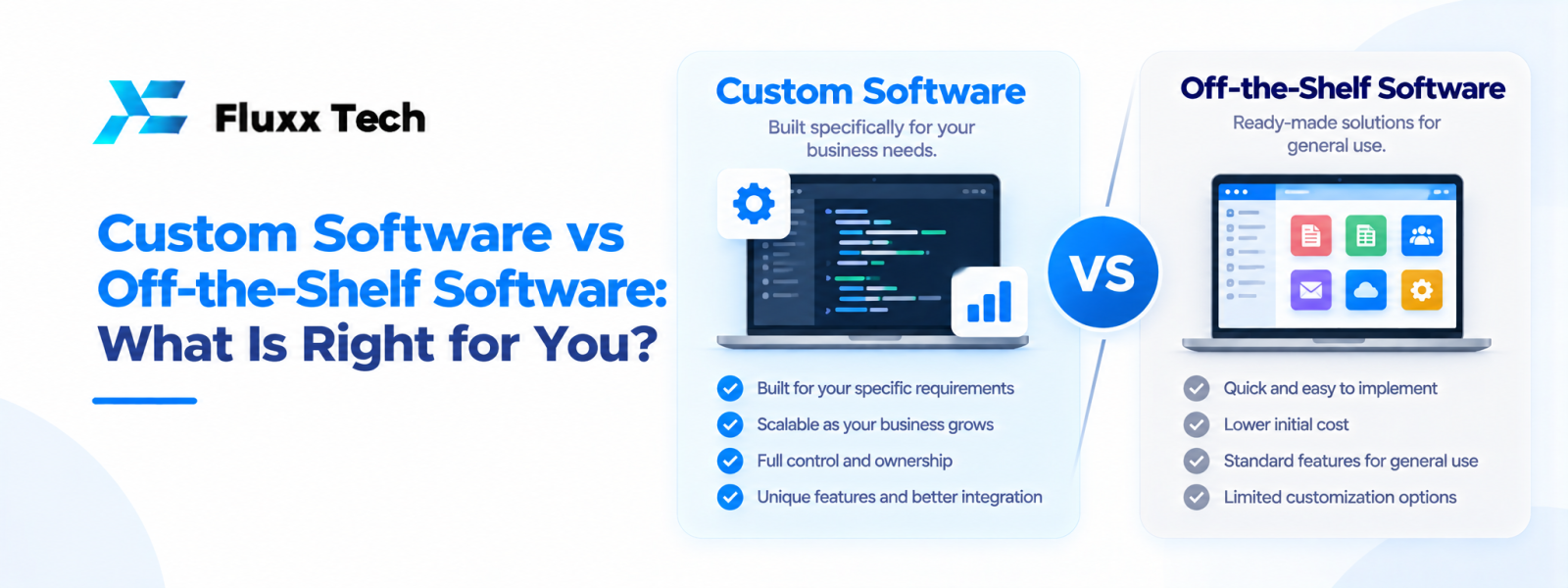
Choosing between custom software and ready-made software is an important decision for a growing business. The right choice depends on your processes, budget, growth plans and the problems you need to solve. When comparing custom software vs readymade software, do not look only at the first price. Consider how well the solution fits your daily work, what it will cost to maintain and whether it can grow with your business.
What is ready-made software?
Ready-made software is developed for a broad group of users. Examples include accounting tools, project management applications, email platforms and standard customer relationship management systems. Businesses can usually subscribe, configure basic settings and start using the product without a long development project. This can be useful when your needs are common and the software already supports the features you require.
The main advantage is speed. You can often start quickly and pay a subscription or licence fee. However, the product may not match every internal process. Your team may need to change its workflow to fit the software, and some advanced changes may not be possible.
What is custom software?
Custom software is designed around a particular organisation’s workflows and requirements. It may connect departments, automate repeated tasks, organise business data or provide a customer-facing portal. A development team typically studies the problem, documents requirements, designs the solution, builds it, tests it and supports it after launch.
Bespoke software can be a strong option when your business has specialised processes, needs integrations or wants more control over the product roadmap. It also requires active planning: unclear requirements, uncontrolled feature changes and poor maintenance planning can increase cost and delay delivery.
Compare the main decision factors
Fit: Ready-made tools suit standard processes. Custom software can be shaped around the way your business actually operates.
Initial cost: A subscription tool usually has a lower starting cost. Custom development commonly needs a larger upfront investment for discovery, design, development and testing.
Time to launch: Ready-made tools can be configured quickly. Custom projects need time for planning, building, testing and training.
Flexibility: Packaged products offer the options their provider supports. Custom solutions can be extended based on agreed requirements, although each change still needs effort and budget.
Integrations and ownership: Check whether a packaged product connects with your existing systems and whether data can be exported. For custom development, define code ownership, hosting, documentation, access and support terms in the contract.
Ongoing cost: Compare subscription renewals, add-ons, user limits, implementation, support and internal administration—not just the advertised price.
When should you buy instead of build?
Choose ready-made software when the process is common, the product meets your essential needs, implementation is straightforward and the provider offers reliable support. It is often sensible to use standard tools for email, basic accounting or team collaboration rather than recreate capabilities that already work well.
Before buying, make a list of must-have and nice-to-have features. Ask for a product demonstration using realistic scenarios. Check mobile access, reporting, permissions, data export, backups, security practices and integration options. Review renewal terms and the process for leaving the platform.
When does custom development make sense?
Custom development may be appropriate when employees repeatedly move information between disconnected tools, spreadsheets have become difficult to manage, standard software cannot represent your workflow, or the business needs a unique customer or supplier experience. It can also help when several systems must share data and manual copying causes delays or errors.
Do not build custom software simply because it sounds advanced. First confirm that the problem is important, happens often and has a clear business impact. Sometimes configuration, training or integration between existing tools solves the issue for less money.
A practical buy-versus-build checklist
1. Describe the business problem in one or two sentences.
2. Map the current process and identify bottlenecks.
3. List essential features, user roles and reports.
4. Compare at least a few suitable packaged products.
5. Estimate total cost over three to five years, including support and upgrades.
6. Assess integration, data portability, security and vendor dependency.
7. If considering custom development, request a phased proposal with deliverables and acceptance criteria.
8. Start with a minimum useful release and improve it using feedback.
How Fluxx Tech can help
Fluxx Tech works with businesses to understand their workflows and evaluate practical software options. A useful first discussion should focus on the business problem, existing tools, users, required integrations, budget range and expected outcome. The goal is not to recommend custom development in every case; it is to identify a solution that fits the real requirement.
Conclusion
Custom Software vs Off-the-Shelf Software is ultimately about choosing a practical response to a real business need. Define the problem, document the workflow, compare realistic options and plan for testing, training and maintenance. A phased approach with clear priorities helps teams make informed decisions and avoid unnecessary complexity.
Frequently Asked Questions
Q: Is custom software always better than ready-made software?
A: No. Ready-made software is often the better choice for standard needs. Custom software is worth evaluating when existing products cannot support important workflows or integrations.
Q: Is ready-made software cheaper?
A: It usually costs less to start, but subscriptions, add-ons, implementation and user-based fees can add up over time. Compare total cost rather than only the first payment.
Q: Who owns custom software?
A: Ownership depends on the contract. Confirm source-code rights, licences, third-party components, hosting access and documentation before development begins.
Q: Can a business combine both options?
A: Yes. Many businesses use packaged tools for standard tasks and custom software or integrations for their unique processes.


