 Fluxx Tech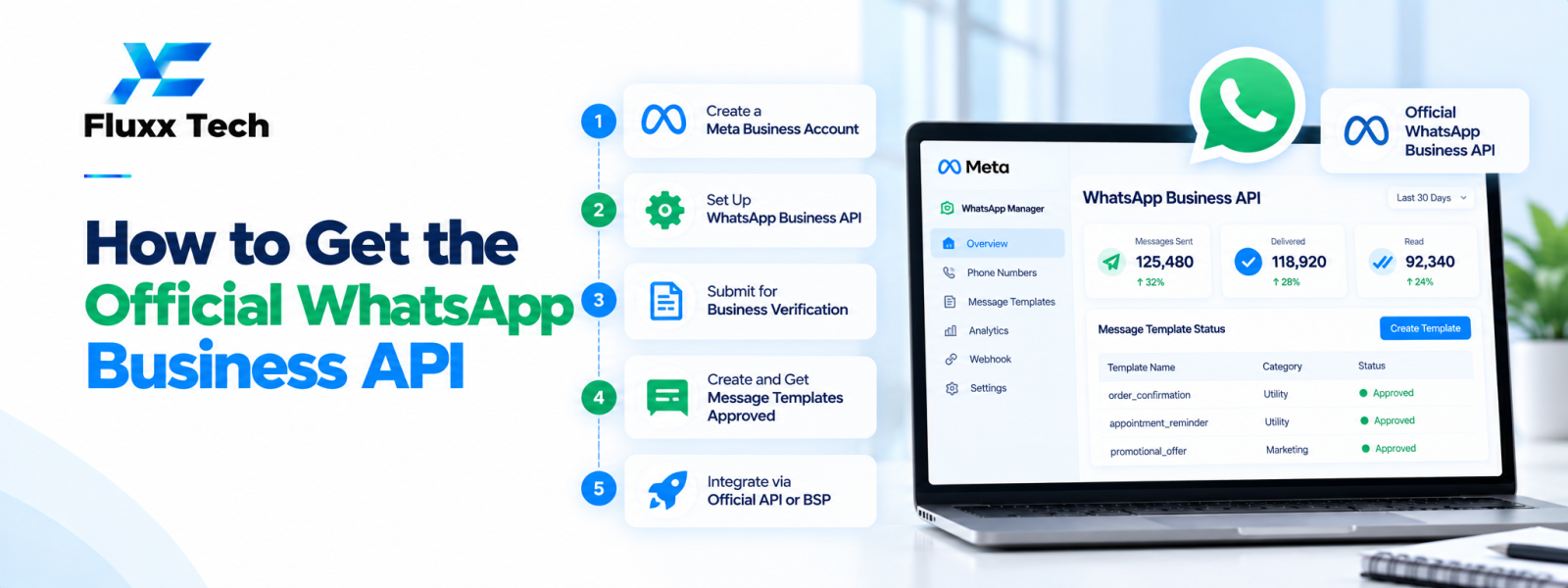
If you want to know how to get WhatsApp Business API access, begin by reviewing the current official WhatsApp Business Platform onboarding requirements. Businesses may work through an eligible provider or use a supported direct integration route, depending on their needs and eligibility. The exact setup screens, verification requirements and approval process can change, so use current Meta documentation rather than relying on outdated walkthroughs.
Choose the right access route
Decide whether you need a provider-hosted platform with a dashboard and support or a more direct technical integration. A provider may simplify setup and offer team inbox, template management or analytics, while a direct integration can require more technical ownership.
Compare setup assistance, recurring fees, support, data handling, integration flexibility and the process for moving your number or data later. Confirm that the proposed route is supported under current Meta requirements.
Prepare your business information
Gather accurate business details, website information, contact information and any documents the current setup process requests. Ensure the business name and details are consistent across the materials you submit.
Business verification and account review are separate from the technical ability to send a test message. Follow the current instructions in the official account setup flow and avoid submitting inaccurate or misleading information.
Set up the business account and number
Follow the current official steps to create or select the relevant business portfolio and WhatsApp business account, configure the phone number and grant the required permissions. Exact steps may differ by onboarding route and account status.
Before using a production number, review the current migration, coexistence and eligibility options. Do not assume an existing app number can be transferred or used in every configuration without restrictions.
Configure templates and message handling
Prepare message templates that accurately match their intended use and submit them for review when required. Follow the current template categories and content rules; approval is not guaranteed simply because a template was submitted.
Configure webhooks or provider integrations for incoming messages and delivery-status events where applicable. Test authentication, retries, duplicate event handling and logging while protecting customer information.
Test before launching
Use the supported test environment or approved test setup to confirm that messages can be sent and received. Test incoming replies, template use, error handling and the customer-support workflow.
Provide staff training, define who can send campaigns and set a process for handling opt-outs, customer requests and account quality alerts. Keep a launch checklist and a rollback or pause plan.
Common approval and setup problems
Inconsistent business details, missing permissions, unclear use cases, incorrect configuration or a weak demonstration can delay setup or review. Read the specific issue returned by the platform and respond to it directly.
Never share passwords or access tokens in public documents or with untrusted parties. Use role-based access, secure secret storage and the minimum permissions needed for each integration.
Conclusion
In conclusion, a well-planned WhatsApp business workflow should make communication more useful for customers while remaining organised, permission-based and aligned with the platform’s current policies. Define the use case first, configure the right tools and templates, test the customer journey and monitor message quality and outcomes. Review official WhatsApp and Meta guidance before making decisions about pricing, eligibility or policy requirements. With clear processes and relevant communication, businesses can use WhatsApp more effectively for customer conversations and support.
Frequently Asked Questions
Can I get the WhatsApp Business API without a provider?
Some businesses may use supported direct integration routes. Check current official onboarding options and your technical requirements.
Does business verification automatically approve every feature?
No. Verification, account setup, permissions, template review and messaging access are distinct parts of the process.
How long does setup take?
Timing varies by onboarding route, business details, required review and implementation complexity. Check current platform guidance rather than assuming a fixed timeline.


