 Fluxx Tech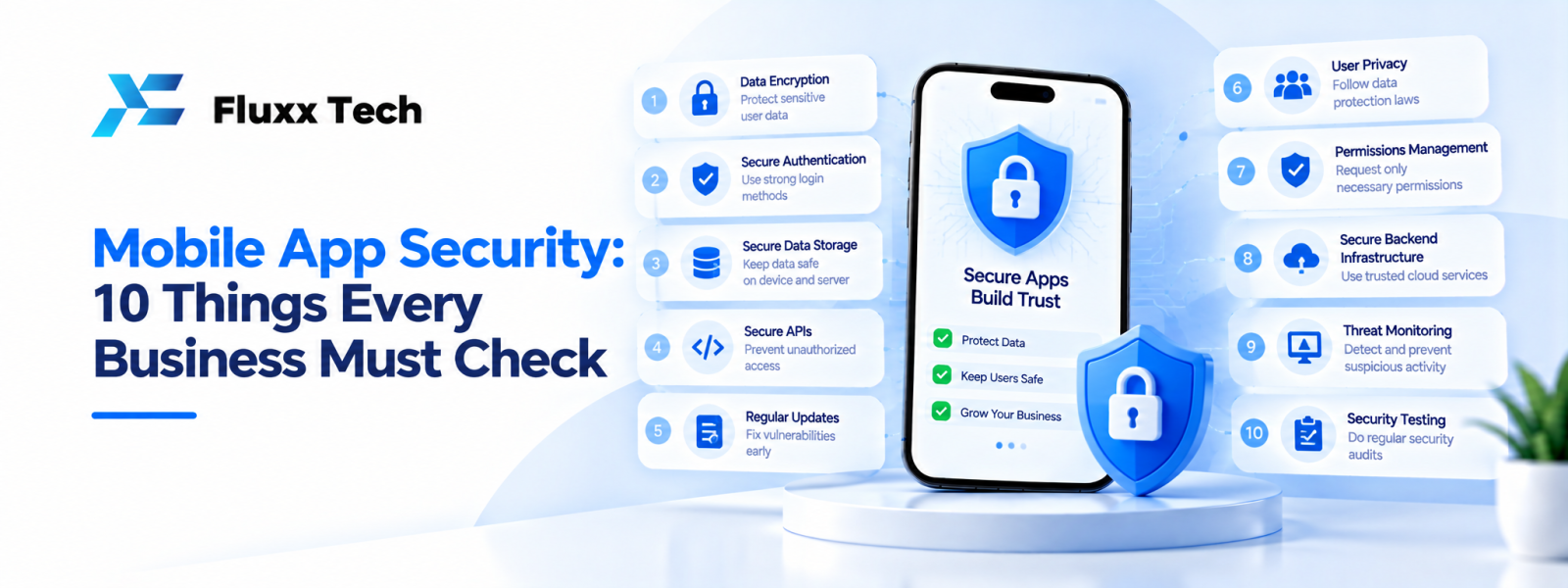
A mobile application may handle customer details, employee information, orders, payments or business records. Protecting this information should be part of the project from the beginning, not a task left until launch. A practical mobile app security review helps a business identify risks, confirm how information is handled and plan ongoing maintenance. No checklist can guarantee that an application is completely secure, but the right development practices can reduce avoidable weaknesses and make problems easier to detect and address. For small and medium businesses in India, the review should reflect the app's purpose, the information it processes and the consequences of unauthorised access.
Why mobile app security matters
Protect customers and employees
An app may store names, contact details, addresses, booking records or other information. If access controls are weak, the business may expose data or lose customer trust. Decide which information the app truly needs and avoid collecting extra data without a clear purpose.
Protect business operations
An insecure application may allow unauthorised users to change records, misuse accounts or disrupt workflows. For an ordering app, that could affect orders or customer support; for an internal app, it could affect employee or operational information.
Treat security as an ongoing responsibility
Security needs can change as the app gains features, connects to new services or supports more users. Include security reviews in development, release and maintenance plans.
Mobile app security checklist: 10 things to check
1. Use secure authentication
Review how users sign in, reset passwords and recover accounts. Use established authentication practices and consider multi-factor authentication where appropriate to the risk. Avoid exposing account recovery details or making it easy to guess whether a particular account exists.
2. Apply role-based access controls
Customers, employees, vendors and administrators should only access the functions and records needed for their role. Check permissions on the server as well as in the interface; hiding a button alone does not prevent unauthorised API requests.
3. Protect data in transit
Use secure communication channels for app-to-server connections. Review how APIs are configured and ensure sensitive information is not sent through insecure connections. Developers should follow current platform and transport-security guidance.
4. Protect stored information
Review what the app stores on the device and server. Avoid storing secrets or sensitive information unnecessarily. Where local storage is required, use appropriate platform security facilities and protect server-side data with suitable access controls.
5. Manage API keys and secrets safely
Do not place private server credentials or privileged secrets in public client-side code. Restrict credentials, rotate them when needed and store them in appropriate secret-management systems. Assume that information shipped inside a mobile app may be inspected.
6. Validate input and handle errors
Validate data on the server and handle unexpected input safely. Error messages should help users recover without exposing database details, internal paths, credentials or sensitive system information.
7. Keep dependencies updated
Libraries, frameworks and external SDKs may receive security updates. Maintain an inventory of important dependencies, monitor relevant advisories and test updates before release.
8. Review permissions and privacy
Request only the device permissions needed for the app's features. Explain why permissions are required and make sure actual data collection matches the privacy information shown to users.
9. Test security before release
Include security-focused testing in the release plan. Review authentication, authorisation, session handling, API access, data storage and error cases. For higher-risk apps, consider an independent security assessment by qualified professionals.
10. Plan monitoring and incident response
Decide how problems will be reported, investigated and fixed. Keep useful logs without unnecessarily recording passwords, tokens or sensitive personal information. Assign responsibility for assessing incidents and communicating with affected parties when appropriate.
Secure app development: build security into the workflow
Start with a risk review
Identify the information handled by the app, who can access it and what could happen if it were exposed or changed. Prioritise controls based on realistic risks rather than applying the same checklist mechanically to every product.
Review architecture and APIs
Map the app, backend, database and third-party services. Define trust boundaries and confirm that sensitive decisions are enforced on the server. Use documented APIs and limit access to the minimum necessary.
Use code review and testing
Review important changes before merging them. Automated checks can help identify certain dependency or coding issues, but they do not replace careful design and manual testing.
Protect development and production access
Limit access to source repositories, cloud environments, signing credentials and production data. Use separate environments where appropriate and remove access when team responsibilities change.
App data protection for Indian businesses
Know what information you collect
Create a simple inventory of the data collected, its purpose, where it is stored and which service providers receive it. Avoid collecting sensitive information unless it is necessary for the service.
Explain data practices clearly
Privacy notices should be accurate and understandable. Make sure the app's actual behaviour, consent flows and disclosures are consistent. For legal obligations, confirm the current requirements that apply to your business and app with a qualified professional.
Review vendors and integrations
Payment, analytics, messaging and cloud providers may process information on your behalf. Understand the information shared, the access granted and the provider's relevant security documentation.
Define retention and deletion
Decide how long different records need to be kept and how they can be deleted or anonymised when appropriate. Consider backups and related systems when designing the process.
Common security mistakes to avoid
Testing only the interface
An attractive interface does not prove that backend permissions or APIs are secure. Test direct access to protected functions as well.
Keeping unnecessary data
More stored information can increase the impact of a security incident. Collect and retain only what is justified by the app's purpose.
Ignoring updates
Leaving dependencies or operating-system compatibility issues unattended can create avoidable risk. Assign responsibility for reviewing updates.
Assuming a checklist guarantees safety
Security is a process of risk reduction, verification and improvement. The appropriate controls depend on the app and its operating environment.
Frequently Asked Questions
What is mobile app security?
It covers the practices used to protect an app, its users, data, backend services and integrations from unauthorised access or misuse.
When should security testing happen?
Security should be considered during requirements and design, checked during development, reviewed before release and revisited during maintenance.
Is hiding an admin button enough to protect admin features?
No. The backend must verify the user's permissions for every protected operation.
Should an app store sensitive information on a phone?
Only when necessary and with appropriate safeguards. Review whether the information can be minimised or stored securely elsewhere.
Can a developer guarantee an app is completely secure?
No. Testing and good practices reduce risk, but no process can guarantee zero vulnerabilities. Security needs ongoing attention.
Conclusion
Mobile app security should be part of planning, development, testing and ongoing maintenance. Review authentication, permissions, data handling, APIs, dependencies and incident response based on your app's real risks. A clear security process helps your business protect users and respond more responsibly as the product evolves.


