 Fluxx Tech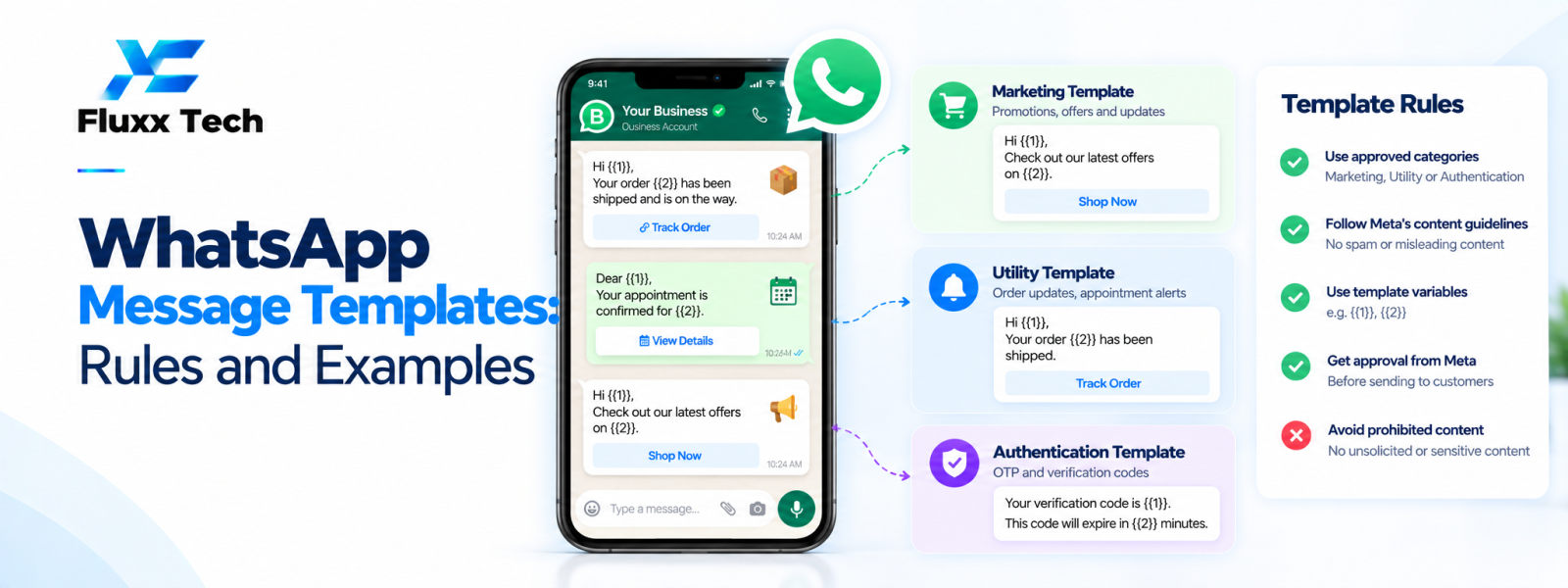
WhatsApp message templates help businesses send certain business-initiated messages through the WhatsApp Business Platform under the current rules. Templates may include text, variables and supported interactive or media elements, depending on the format. Approval, categories and policy requirements can change, so check the current official documentation before preparing or submitting a template. A template should be clear, accurate and appropriate for the purpose for which it will be used.
What a message template is
A template is a predefined message format used for supported messaging flows. It may contain fixed wording and placeholders that are filled with relevant information, such as an order reference or appointment time. The exact supported components depend on the current platform capabilities.
Templates help standardise recurring communication, but they do not remove the need for appropriate consent, relevant content or compliance with platform policies. Use each template only for its approved purpose.
Understand categories and current rules
Templates may be classified according to the current Meta categories, such as marketing or utility, with other categories or rules depending on the current policy model. The category must reflect the message's actual purpose and content.
Do not disguise promotional content as a service update to fit a different category. Review the current official guidelines and pricing rules because category definitions and fees can change.
Write clear and useful templates
Start with the purpose: tell the recipient why they are receiving the message. Use plain language, accurate details and a clear next step where relevant. Avoid exaggerated claims, misleading urgency or content that the business cannot substantiate.
Use placeholders only for values that will be populated reliably. Check examples with realistic data, including missing values, long names or unexpected characters. Ensure the final rendered message remains understandable.
Examples of common template use cases
Order update: confirm an order status and provide a relevant reference or tracking link when available.
Appointment reminder: share the scheduled time and a suitable way to confirm or request a change.
Account or service update: communicate a specific change that the customer would reasonably expect to receive.
Marketing message: share a relevant offer or product update only with the appropriate permission and in line with current platform rules.
These are illustrative patterns, not guaranteed approved templates. Each use case must meet current policies and category requirements.
Submission and testing checklist
Check spelling, variables, links, sender identity, purpose and category before submitting. Make sure the message matches the business's actual workflow and does not include prohibited or misleading content.
After approval, test the full delivery flow with an appropriate test recipient. Confirm variable substitution, links, language, response handling and reporting. Keep track of template status and update related workflows if a template is rejected or changed.
Manage templates over time
Assign an owner to review templates when product details, policies or customer journeys change. Retire outdated templates and avoid sending irrelevant messages simply because a template remains approved.
Monitor customer feedback and message quality indicators where available. If a template produces confusion or complaints, pause it and revise the content and targeting.
Conclusion
In conclusion, a well-planned WhatsApp business workflow should make communication more useful for customers while remaining organised, permission-based and aligned with the platform’s current policies. Define the use case first, configure the right tools and templates, test the customer journey and monitor message quality and outcomes. Review official WhatsApp and Meta guidance before making decisions about pricing, eligibility or policy requirements. With clear processes and relevant communication, businesses can use WhatsApp more effectively for customer conversations and support.
Frequently Asked Questions
Does every business-initiated message need a template?
Requirements depend on the current platform rules and message flow. Verify the applicable official guidance for your use case.
Does template approval guarantee every send will succeed?
No. Delivery also depends on account status, recipient availability, policy compliance and other factors.


