 Fluxx Tech
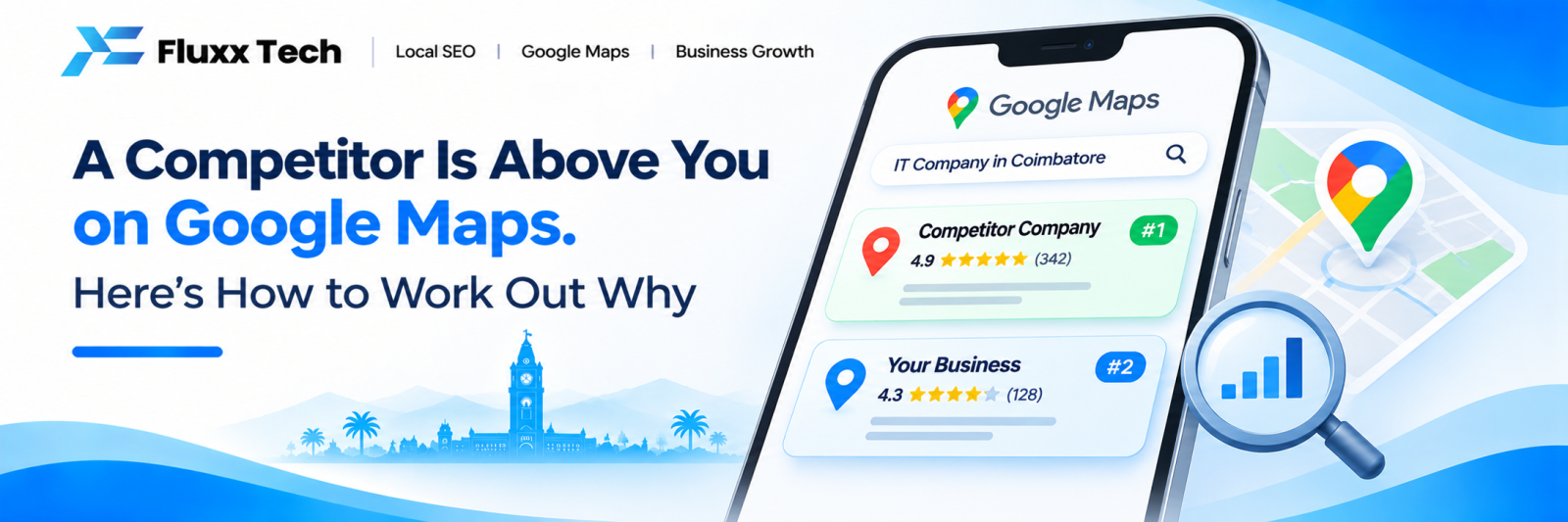
You search for your service in Coimbatore. Three businesses appear in the map pack. Yours is fourth, which means it is not visible at all unless someone taps “More places”.
Most owners respond by guessing — they assume the competitor is paying Google, or that someone is doing something underhand. Usually the answer is more ordinary and more fixable, and you can find it in half an hour by comparing the two profiles side by side.
First, understand what Google is weighing
Google states that local results are decided mainly by three things:
Factor | What it means | Can you change it? |
Relevance | How well your profile matches what was searched | Yes — categories, services, description, website |
Distance | How far you are from the searcher or the searched area | No |
Prominence | How well known and well regarded you are | Yes — reviews, citations, links, mentions |
Two of the three are within your control. Distance is not, and it explains more than people expect.
Step 1: Check whether it is just distance
Before anything else, rule this out.
Search your keyword from different parts of the city — your office, then a few kilometres away, then near the competitor. The map pack changes with location. If you rank first near your own area and fourth near theirs, that is proximity, not performance.
You can also try Google’s local results for a specific area by adding it to the search — “ac service saravanampatti” versus “ac service peelamedu”.
If you win near yourself and lose further away, you are not doing anything wrong. You are competing against geography, and the answer is organic rankings, ads and reviews rather than trying to beat the map in a district you are not in.
Step 2: Put the two profiles side by side
Open both Google Business Profiles and fill in this table honestly.
| You | Competitor |
Primary category |
|
|
Additional categories |
|
|
Number of reviews |
|
|
Average rating |
|
|
Date of most recent review |
|
|
Reviews in the last 3 months |
|
|
Owner replies to reviews |
|
|
Number of photos |
|
|
Most recent photo |
|
|
Posts in the last month |
|
|
Hours complete and accurate |
|
|
Description filled in |
|
|
Services / products listed |
|
|
Website linked |
|
|
Q&A answered |
|
|
Years in business shown |
|
|
By the time you finish this table you will usually know the answer. In most cases it is reviews, categories, or activity.
Step 3: The category check
This is the most common cause and the easiest fix.
Your primary category carries more weight than almost anything else on the profile. If you are a “Marketing Agency” and the competitor is a “Internet Marketing Service”, and the search was “digital marketing service”, the category match may be the whole difference.
What to do
1. Look at the top three results and note each one’s primary category — it is displayed under the business name
2. If they all share a category and you have a different one, consider switching
3. Add relevant additional categories, but do not add irrelevant ones to game it — Google discounts those and it can confuse your relevance
4. Change one thing at a time and watch for a few weeks
Step 4: The review gap
Review count and recency both matter, and recency is the part most businesses ignore.
A profile with 80 reviews where the last one was eighteen months ago is weaker than it looks. A profile with 35 reviews, five of them from this month, signals an active, busy business.
Situation | What to do |
They have far more reviews | Start a steady weekly routine; you will not catch up in a month |
Similar counts, theirs are recent | Focus entirely on recency — a few new ones every week |
They reply, you do not | Reply to every review you have, including old ones |
Their rating is higher | Fix the underlying service problem first, then ask |
A reliable approach: whoever does the work asks for the review, at the moment the customer is satisfied, by sending the direct review link on WhatsApp. Three a week adds up quickly.
Step 5: Completeness
Google rewards complete profiles, and incomplete ones are extremely common.
Check that every one of these is filled:
• Business description, using natural language, not keyword-stuffed
• Every service or product listed individually
• Opening hours including special hours for festivals
• Attributes — parking, wheelchair access, appointment required, languages spoken
• Opening date
• Phone number and website
• Appointment or booking link if relevant
• Questions in the Q&A answered — you can ask and answer your own common questions
Each empty field is a small loss. Together they add up.
Step 6: Look beyond the profile
If the profiles look similar and they still rank above you, the difference is prominence — signals from outside Google.
Citations. Are they listed on JustDial, Sulekha, IndiaMART, local directories, with consistent details? Search their business name in quotes and see how many places it appears. Then search yours.
Website. Open theirs. Is there a page specifically about this service in this area? Is it faster than yours? Does it have more depth?
Mentions. Have they been covered by a local news site, a blog, an association page? Those mentions build prominence.
Consistency. Search their phone number in quotes and see whether it appears identically everywhere. Then do the same with yours. Inconsistent name, address or phone across directories is a quiet but real drag on local ranking.
Step 7: Check they are playing fair
Occasionally the competitor is breaking the rules. Things you can legitimately report:
• A business name stuffed with keywords — “Best AC Service Coimbatore Cheap Repair” when the registered name is something else
• Multiple profiles for the same business at different addresses
• A profile at an address where no such business operates
• Obviously fake reviews in bursts
Use the “Suggest an edit” option, or report through Google Business Profile support. Be factual. Reporting works sometimes and is slow, so treat it as a side task, not the plan.
Do not try the same tricks. Name-stuffing gets profiles suspended, and recovering one is far harder than ranking honestly.
A 90-day plan
Weeks 1–2 Fix categories. Complete every profile field. Add 20 photos. Answer Q&A. Reply to every existing review.
Weeks 3–12 Ask three to five customers a week for a review. Reply within two days. Add five photos a month. Post to the profile twice a month. Get listed consistently on JustDial, Sulekha and IndiaMART. Build or improve the website page for this service.
Monthly Re-run the side-by-side table. Track your position for three keywords from a fixed location.
Local ranking moves slowly and then holds. Expect to see change at six to ten weeks, not six days.
Frequently asked questions
Can I pay Google to appear in the map pack? Not for the organic three. Local Services Ads and ordinary Google Ads can place you above the map pack as an advert, clearly labelled. That is a separate spend, not a shortcut into the organic results.
My competitor has worse reviews but ranks higher. How? Rating is only part of it. Count, recency, categories, proximity and prominence all feed in. A business with 3.9 stars and 200 recent reviews often outranks one with 4.9 and 12.
How long until changes show? Category changes can show within one to three weeks. Review-driven improvement takes two to three months of consistent effort.
Does posting to Google Business Profile help ranking? It is not a strong ranking factor, but it keeps the profile active and gives customers a reason to engage. Two posts a month is enough.
Should I add more categories to cover more searches? Add genuinely relevant ones. Irrelevant categories dilute relevance and can hurt. The primary category is the one that really matters.