 Fluxx Tech
Most businesses redesign their website for the wrong reason: someone got bored of looking at it.
A redesign is expensive, and it carries real risk — done badly it can lose the search rankings you have built. It is worth doing when the site is genuinely holding the business back, and worth avoiding when it is not.
Here is how to tell the difference.
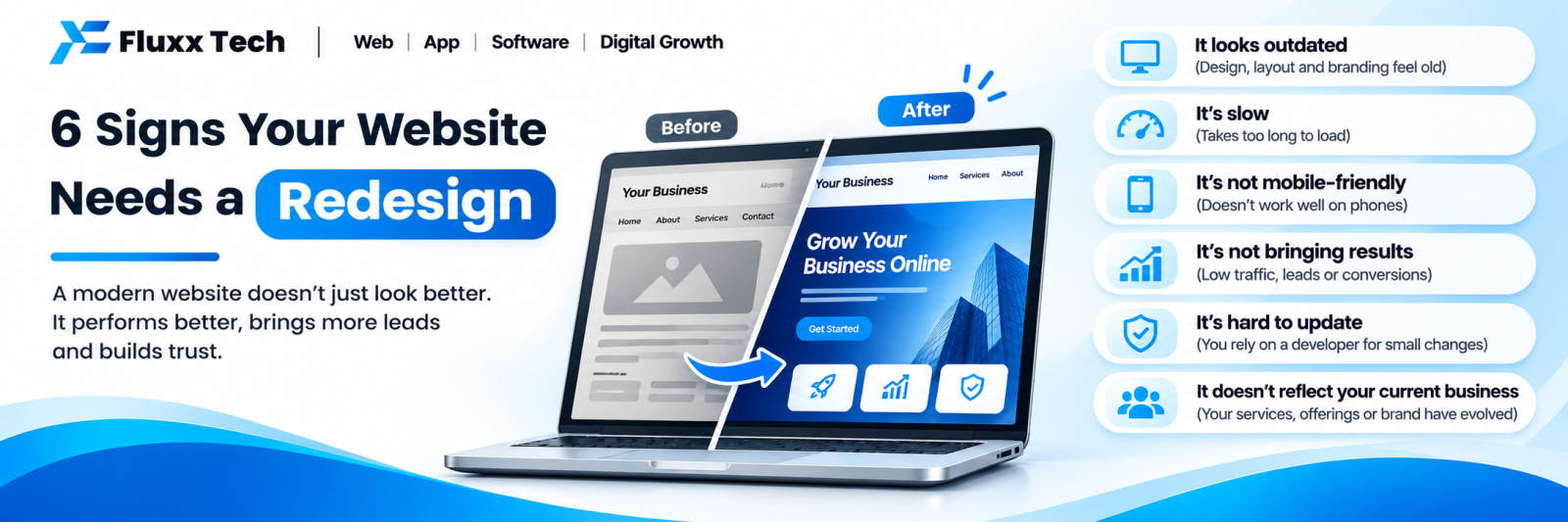
Sign 1: It is slow on a phone, on mobile data
Test it properly. Phone, wifi off, incognito tab, type the address, count the seconds.
If you are waiting, every visitor is waiting, and most of them leave before anything appears.
But check this first. Slowness is often fixable without a rebuild — compressing images, removing unused plugins, enabling caching, moving to better hosting. Those four fix most slow sites in a day.
Redesign only if the platform or theme itself is the problem and cannot be fixed.
Sign 2: You cannot update it yourself
Every text change, every price update, every new photograph requires emailing the developer and waiting.
The practical result is that nothing gets updated. Your site shows last year’s services and a staff member who left.
Redesign if there is no usable CMS and adding one means rebuilding.
Don’t redesign if there is a CMS and nobody was ever shown how to use it. That is a training problem, and an hour of training is cheaper than a rebuild.
Sign 3: It gets visitors but no enquiries
Check Search Console. If people are arriving and nothing is happening, the site is failing at its job.
Common causes, in order of how often they turn out to be the real problem:
• The phone number is not visible without scrolling, or is not tappable
• There is no WhatsApp option
• The enquiry form is broken, or goes to an inbox nobody checks
• The page does not say clearly what you do and where
• There is nothing to establish trust — no real photos, no reviews, no client work
Test it yourself today. Open your site on a phone. Count the taps to call you. Submit your own form and see if it arrives.
Redesign if fixing these requires structural changes.
Don’t redesign if you simply need a header phone number and a working form. That is a day’s work.
Sign 4: It does not show up on Google
Search for your services — not your business name. If you are nowhere, something is wrong.
Check the cause before rebuilding:
• Is the site indexed? Search site:yourdomain.com in Google
• Does it have pages targeting what customers actually search for?
• Does every page have a proper title and description?
• Is a noindex tag left in place from development?
A site with four pages and no service pages will not rank, however it looks. That is a content and structure problem, not a design problem — and a redesign that does not fix the structure will change nothing.
Redesign if the site cannot support proper page structure, URLs, titles or schema.
Sign 5: It no longer represents the business
Your services have changed. You have moved premises. You serve different customers now. The site still describes the business as it was in 2021.
A visitor who reads something inaccurate and then calls to clarify is one of the lucky ones. Most just leave.
Redesign if the structure needs to change substantially.
Don’t redesign if it is a content update. Rewriting pages is far cheaper than rebuilding.
Sign 6: You hesitate before sharing the link
This one is subjective, and it matters more than it sounds.
If you would rather describe your business over the phone than send the link, that tells you something real. Your customers are forming the same impression, and they do not have you on the phone to compensate for it.
Redesign if the design genuinely undermines credibility in a sector where credibility is the product — professional services, healthcare, anything high-value.
Three signs you should NOT redesign
1. You are simply bored of it
You look at your website far more often than any customer does. Visual fatigue is not a business reason. If the site works, leave it and spend the budget on something that brings enquiries.
2. A competitor launched something new
Their new site may be beautiful and produce nothing. Judge your site on your numbers — traffic, enquiries, speed — not on someone else’s launch.
3. Someone told you the platform is wrong
“WordPress is bad for SEO”, “you should be on a custom build” — platform alone does not determine rankings. A well-built site on any mainstream platform can rank. Migrate for genuine limitations, not for an opinion.
Fix or rebuild? A quick test
Problem | Usually a fix | Usually a rebuild |
Slow | Images, plugins, caching, hosting | Only if the theme or platform is the cause |
Can’t edit it | Training, or adding a CMS | If no CMS is possible |
No enquiries | Contact options, clearer copy | If the structure prevents it |
Not ranking | Add pages, fix titles, build content | If the platform blocks SEO basics |
Outdated information | Content update | If the structure no longer fits |
Looks dated | New theme or restyle | If it undermines trust in your sector |
The rule of thumb: if three or more of the six signs apply, and each would require structural work, rebuild. If one or two apply and they are fixable in isolation, fix them.
If you do rebuild
Three things protect you:
Keep the URLs. Every URL you keep unchanged is a redirect you do not need and a ranking you do not risk.
Record everything first. Export your list of URLs, your page titles and descriptions, and your Search Console performance data before anything changes.
Do not shorten pages that rank. If a page ranks, its content earned that. Improve it later, after the migration has settled.
A badly handled migration can cost most of your organic traffic, and recovery takes months. A well-handled one loses almost nothing.
Frequently asked questions
How often should a website be redesigned? There is no schedule. Redesign when the site is holding the business back, not on a timer. A well-maintained site can run for five years.
Will a redesign improve my Google rankings? Only if it fixes what was holding them back — structure, speed, content. A visual refresh alone changes nothing, and done carelessly it can lose rankings.
Can I redesign without losing my rankings? Yes, with the same URLs, the same content on ranking pages, and 301 redirects for anything that moves.
Is it cheaper to fix or rebuild? Fixing is almost always cheaper. Get a second opinion before replacing something that works.
How do I know if my site is slow? Your phone, mobile data, incognito tab. Then PageSpeed Insights, mobile tab.
Should I redesign before or after sorting out my Google Business Profile? Business Profile first. It is free, it takes thirty minutes, and for most local businesses it produces more enquiries than the website does.