 Fluxx Tech
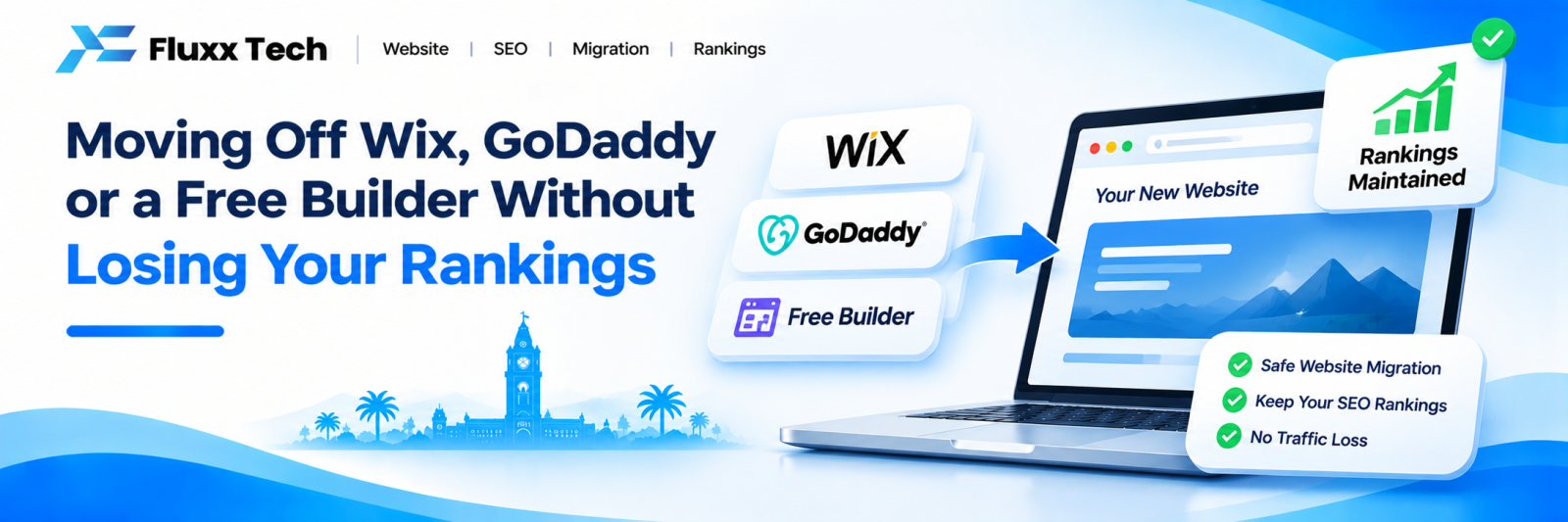
Plenty of Coimbatore businesses started with a drag-and-drop builder — Wix, GoDaddy, Weebly, a free theme someone set up in an afternoon. For a new business with no budget, that was the right decision.
Three years on, the site is slow, the pages cannot be structured properly, the blog is awkward, and adding anything custom is impossible. You want to move.
The fear is losing the rankings you have built. That fear is justified — a badly handled migration can cost most of your organic traffic, and recovery takes months. A well-handled one loses almost nothing.
First: do you actually need to move?
Moving is work and carries risk. Do it for real reasons.
Good reasons
• The site is slow and the platform does not let you fix it
• You cannot control page titles, descriptions, URL structure or schema
• You need functionality the platform cannot do — booking, inventory, a proper enquiry workflow, an API
• You are paying more in subscription than a better solution would cost
• You cannot export your content or you do not own it
• The design limits are blocking what the business needs to show
Poor reasons
• “Someone told me WordPress is better for SEO” — platform alone does not determine rankings
• The design feels dated — that is a redesign, which you can do on the same platform
• A single feature is missing that a plugin or embed could add
If the only issue is appearance, redesigning in place is cheaper and carries no risk.
What you can lose, and why
When you migrate badly, these are the failure modes:
What goes wrong | Effect |
URLs change and nothing redirects | Every ranking page becomes a 404; positions gone |
Page titles and descriptions not carried over | Rankings drop, click-through falls |
Content shortened or rewritten during the move | Pages lose the relevance that earned the ranking |
Images lost or alt text dropped | Image search traffic gone, accessibility worse |
New site slower than the old one | Visitors leave sooner |
Site launched with noindex left on | Entire site vanishes from Google |
Search Console not updated | You are blind during the riskiest period |
Every one of these is preventable with a checklist.
Before you touch anything: record the current state
This is the step people skip, and it is the one that saves you.
1. Export every URL. Use Search Console → Indexing → Pages, and your XML sitemap. You need a complete list of live URLs.
2. Record performance for each. Search Console → Performance → Pages, last 6 months. Export it. This tells you which pages actually matter — usually a small number carry most of the value.
3. Save every page title and meta description. A free crawler such as Screaming Frog (free up to 500 URLs) will collect these in minutes.
4. Take a full content backup. Copy the text of every page. Builders often make export awkward, so do not assume you can retrieve it later.
5. Download all images, keeping file names.
6. Note your current Core Web Vitals and page speed, so you can confirm the new site is genuinely better.
7. Screenshot your top keyword positions from an incognito window.
Keep all of this in one folder. You will refer to it for months.
Build the new site before switching anything
Build on a staging URL or a temporary subdomain, not on the live domain.
Keep the same URL structure wherever possible. If a page lives at /services/seo, recreate it at /services/seo. Every URL you keep unchanged is a redirect you do not need and a risk you avoid. Change URLs only where the old structure was genuinely poor.
Carry over the content fully. Do not take the opportunity to “tighten” ranking pages. If a page ranks, its content earned that. Improve it later, after the migration has settled, one page at a time.
Carry over titles and descriptions exactly, using the file you saved.
Recreate images with the same alt text. Compress them, but keep the descriptive text.
Block the staging site from Google with a noindex tag or password protection while you build — and write yourself a note to remove it at launch.
The redirect map
This is the heart of the migration.
For every old URL, decide where it goes on the new site:
Old URL | New URL | Type |
/services.html | /services | 301 |
/about-us.html | /about | 301 |
/blog/post-name | /blog/post-name | No change |
/old-offer-page | /services | 301 |
Use 301 redirects, which tell Google the move is permanent and pass the ranking value. A 302 is temporary and does not.
Redirect to the closest equivalent page, not to the homepage. Sending everything to the homepage is the classic mistake — Google treats a homepage redirect for an unrelated page as a soft 404 and the value is lost.
Redirect every old URL, including ones you think nobody visits. Old pages often hold links from other sites, and those links are worth keeping.
Launch day
Work through this in order:
1. Take a final full backup of the old site
2. Point the domain at the new site
3. Remove the noindex tag. Check it. Then check it again — this single mistake has removed whole sites from Google
4. Test every redirect from your map
5. Submit the new XML sitemap in Search Console
6. Check robots.txt is not blocking anything important
7. Confirm Google Analytics and any ad pixels are firing
8. Submit your most important pages for indexing in Search Console
9. Test the site on a phone, on mobile data
10. Submit your own contact form and confirm it arrives
Do this on a quiet day — midweek morning, not Friday evening, and not during a sale or campaign.
The weeks after
Week 1. Check Search Console daily for crawl errors and 404s. Fix any missed redirect immediately. Some ranking fluctuation is normal while Google re-crawls.
Weeks 2–4. Watch impressions and clicks. A dip is common; a steady decline is not. Compare page-level performance against your saved file.
Months 2–3. Traffic should return to previous levels or better. If a specific page has not recovered, check its redirect, its content and its internal links.
Also update: your Google Business Profile website link, social media bio links, directory listings, email signatures, and printed material with the website address if the URL changed.
A realistic expectation
Even a well-executed migration usually sees a small dip for two to four weeks while Google re-crawls and reassesses. That is normal.
What is not normal is a sustained drop of more than a few weeks. If that happens, the usual causes are missing redirects, a noindex left in place, or content that was shortened during the move.
Frequently asked questions
Is WordPress better for SEO than Wix? Not inherently. Both can rank well. WordPress gives far more control over technical details, which makes advanced work possible — but a well-built Wix site beats a badly built WordPress one.
Should I change my domain name at the same time? No. One change at a time. A platform migration and a domain change together makes it impossible to tell which caused any problem. Do the platform first, let it settle for three months, then consider the domain.
How long should I keep the old redirects? Permanently, or at minimum a year. Links from other sites to old URLs can exist for years.
Can I migrate the blog later and the main site now? Yes, and it is often sensible. Move the main pages first, confirm everything is stable, then move the blog.
Will I lose my Google reviews? No. Reviews live on your Google Business Profile, not your website. Just update the website link on the profile after the move.
What if I cannot export my content from the builder? Copy it manually, page by page. Tedious but necessary. This is also a good argument for choosing a platform where you own and can export your content.